
Early Access
Passkey Activities
Start Passkey Registration
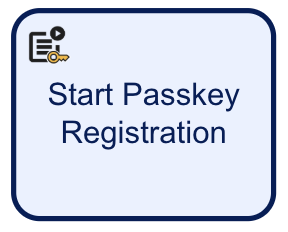
Begins the passkey registration process.
| Parameter | Description | Type | Default |
|---|---|---|---|
| challenge | The signed challenge is represented by a public key registered to the User. This value is auto-generated. | String | |
| Create User | If enabled, a new User will be created as part of the passkey registration. Default behavior is disabled. | Boolean | ${false} |
| Passkey Registration Key | Required - The unique ID associated with the passkey registration activity. | String | passkeyReg1 |
| Passkey User Display Name | Required - An informal display name associated with the User. | String | |
| Passkey User Handle | A unique identifier that is used to identify the credentials of the User per relying party. This value is a base-64 encoded string of bytes with a maximum length of 64 bytes. | Base-64 URL Encoded String of Bytes | |
| Passkey User Name | Required - A unique Username to identify the User. | String | |
| Registration Policy | Required - The name of the registration policy. | String | |
| Relying Party ID | Required - The ID of the relying party whose passkey registration configuration will be used. | String | |
| Store Name | Required - The name of the Identity Store. | String | |
| User External Id | Required - If the 'Create User' property is enabled, this property must be configured as a unique ID for the newly created User. Optional - If the 'Create User' property is disabled, this property can be used to identify the User that the passkey registration applies to. |
String | |
| User ID | The unique ID automatically generated when the User is created. In the context of the 'Start Passkey Registration' activity, this ID can be used to identify the User that the passkey registration applies to. | String | |
| User Key | The User Key that can be used to identify the User that the passkey registration applies to. | String | user1 |
Complete Passkey Registration
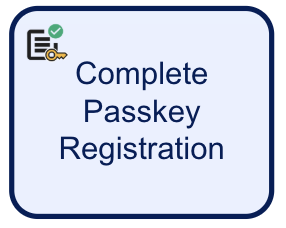
Finalizes the passkey registration process.
| Parameter | Description | Type | Default |
|---|---|---|---|
| Fail Check on Cancel | If enabled, checks will fail if the end-user cancels out of the process. Default behavior is disabled. | Boolean | ${false} |
| Passkey Registration Browser Response | This input parameter must be set when the passkey registration flow uses a Custom Page to collect data instead of a form. In order to complete the passkey registration, a response from the browser must be provided. This response is returned from the Custom Page and can be entered into the 'Passkey Registration Browser Response' using variable substitution. ${_customUis.{{customPageKey}}_.currentCapture.customPageParameters.passkeyRegClientResponse.value} |
String | |
| Passkey Registration Key | The unique ID associated with the passkey registration attempt. | String | passkeyReg1 |
Start Passkey Authentication
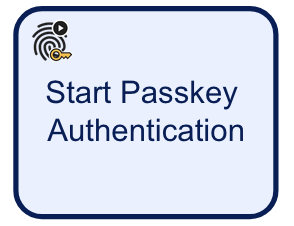
Begins the passkey authentication process.
| Parameter | Description | Type | Default |
|---|---|---|---|
| Authentication Policy | The authentication policy to use for the authentication process. | String | |
| Challenge | The signed challenge is represented by a public key registered to the User. This value is auto-generated. | String | |
| Passkey Authentication Key | Required - The unique ID associated with the passkey authentication activity. | String | passkeyAuth1 |
| Relying Party ID | Required - The ID of the relying party whose passkey registration configuration will be used. | String | |
| Store Name | Required - The name of the Identity Store. | String | |
| User External ID | This property can be used to identify the User that the passkey registration applies to. | String | |
| User ID | The unique ID automatically generated when the User is created. In the context of the 'Start Passkey Registration' activity, this ID can be used to identify the User that the passkey registration applies to. | String | |
| User Key | The User Key that can be used to identify the User that the passkey authentication applies to. | String | user1 |
Complete Passkey Authentication
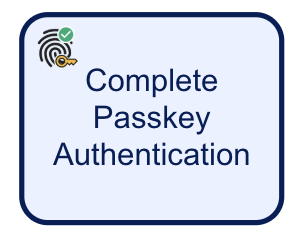
Finalizes the passkey authentication process.
| Parameter | Description | Type | Default |
|---|---|---|---|
| Fail Check on Cancel | If enabled, checks will fail if the end-user cancels out of the process. Default behavior is disabled. | Boolean | ${false} |
| Passkey Authentication Browser Response | This input parameter must be set when the passkey registration flow uses a Custom Page to collect data instead of a form. In order to complete the passkey authentication, a response from the browser must be provided. This response is returned from the Custom Page and can be entered into the 'Passkey Authentication Browser Response' using variable substitution. ${_customUis.{{customPageKey}}.currentCapture.customPageParameters.passkeyAuthClientResponse.value} |
STRING | |
| Passkey Authentication Key | The unique ID associated with the passkey authentication attempt. | STRING | passkeyAuth1 |
Appkey Activities
Start Appkey Registration
Starts the Appkey registration process.
| Parameter | Description | Type | Default |
|---|---|---|---|
| Appkey Registration Key | The unique ID associated with the Appkey registration activity. | String | appkeyReg1 |
| Appkey User Name | An informal display name associated with the User. | String | |
| Challenge | The signed challenge is represented by a public key registered to the User. This value is auto-generated. | String | |
| Create User | If enabled, a new User will be created as part of the passkey registration. Default behavior is disabled. | Boolean | ${false} |
| Registration Policy | The name of the registration policy. | String | |
| Relying Party ID | The ID of the relying party whose Appkey registration configuration will be used. | String | |
| Server Data | This field can contain optional session data that a relying party can associate with the request. | String | |
| Store Name | The name of the Identity Store. | String | |
| User External ID | Required - If the 'Create User' property is enabled, this property must be configured as a unique ID for the newly created User. Optional- If the 'Create User' property is disabled, this property can be used to identify the User that the Appkey registration applies to. |
String | |
| User ID | The unique ID automatically generated when the User is created. In the context of the 'Start Appkey Registration' activity, this ID can be used to identify the User that the Appkey registration applies to. | String | |
| User Key | TThe User Key that can be used to identify the User that the Appkey registration applies to. | String | user1 |
Complete Appkey Registration
Completes the Appkey registration process.
| Parameter | Description | Type | Default |
|---|---|---|---|
| Appkey Name | A friendly name for the Appkey that can be supplied in cases where the name is not supplied by the device. | String | |
| Appkey Registration Browser Response | In order to complete the Appkey registration, a response from the browser must be provided. This response is returned from the Custom Page and can be entered into the 'Appkey Registration Browser Response' using variable substitution.
${_customUis.{{customPageKey}}_.currentCapture.customPageParameters.appkey.value} |
String | |
| Appkey Registration Key | The unique ID associated with the Appkey registration attempt. | String | appkeyReg1 |
| Fail Check On Cancel | If enabled, checks will fail if the end-user cancels out of the process. Default behavior is disabled. | Boolean | ${false} |
| List of Screens | A list of screens to display to the end-user. | List [String] | [notify] |
| Starting Component ID | The ID of the starting component. | String | appkey |
| UI Component ID | The ID of the UI component. | String | notify |
Start Passkey Authentication
Starts the Appkey authentication process.
| Parameter | Description | Type | Default |
|---|---|---|---|
| Appkey Authentication Key | The unique ID associated with the Appkey registration activity. | String | appkeyAuth1 |
| Authentication Policy | The name of the authentication policy. | String | |
| Challenge | The signed challenge is represented by a public key registered to the User. This value is auto-generated. | String | |
| Relying Party ID | The ID of the relying party whose Appkey authentication configuration will be used. | String | |
| Server Data | This field can contain optional session data that a relying party can associate with the request. | String | |
| Store Name | The name of the Identity Store. | String | |
| User External ID | This property can be used to identify the User that the Appkey authentication applies to. | String | |
| User ID | The unique ID automatically generated when the User is created. In the context of the 'Start Appkey Authentication' activity, this ID can be used to identify the User that the appkey authentication applies to. | String | |
| User Key | The User Key that can be used to identify the User that the Appkey authentication applies to. | String | user1 |
Complete Appkey Authentication
| Parameter | Description | Type | Default |
|---|---|---|---|
| Appkey Name | A friendly name for the Appkey that can be supplied in cases where the name is not supplied by the device. | String | |
| Appkey Registration Browser Response | In order to complete the Appkey authentication, a response from the browser must be provided. This response is returned from the Custom Page and can be entered into the 'Appkey Authentication Browser Response' using variable substitution.
${_customUis.{{customPageKey}}_.currentCapture.customPageParameters.appkey.value} |
String | |
| Fail Check On Cancel | If enabled, checks will fail if the end-user cancels out of the process. Default behavior is disabled. | Boolean | ${false} |
Appkey Registration
Performs an all-in-one silent Appkey device and biometric registration.
| Parameter | Description | Type | Default |
|---|---|---|---|
| Appkey Registration Key | The unique ID associated with the Appkey registration activity. | String | appkeyReg1 |
| Appkey User Name | An informal display name associated with the User. | String | |
| List of Screens | The list of screens to show to the user. | String [List] | [silent-registration] |
| Challenge | The signed challenge is represented by a public key registered to the User. This value is auto-generated. | String | |
| Create User | If enabled, a new User will be created as part of the passkey registration. Default behavior is disabled. | Boolean | ${false} |
| Registration Policy | The name of the registration policy. | String | |
| Relying Party ID | The ID of the relying party whose Appkey registration configuration will be used. | String | |
| Server Data | This field can contain optional session data that a relying party can associate with the request. | String | |
| Starting Component ID | The unique ID of the starting component. | String | appkey |
| Store Name | The name of the Identity Store. | String | |
| UI Component ID | The unique ID of the UI component. | String | silent-registration |
| User External ID | Required - If the 'Create User' property is enabled, this property must be configured as a unique ID for the newly created User. Optional- If the 'Create User' property is disabled, this property can be used to identify the User that the Appkey registration applies to. |
String | |
| User ID | The unique ID automatically generated when the User is created. In the context of the 'Start Appkey Registration' activity, this ID can be used to identify the User that the Appkey registration applies to. | String | |
| User Key | TThe User Key that can be used to identify the User that the Appkey registration applies to. | String | user1 |
Appkey Authentication
Performs an all-in-one silent Appkey device and biometric authentication.
| Parameter | Description | Type | Default |
|---|---|---|---|
| Appkey Authentication Key | The unique ID associated with the Appkey registration activity. | String | appkeyAuth1 |
| Authentication Policy | The name of the authentication policy. | String | |
| Challenge | The signed challenge is represented by a public key registered to the User. This value is auto-generated. | String | |
| List of Screens | The list of screens to display to the end-user. | List [String] | [silent-authentication] |
| Relying Party ID | The ID of the relying party whose Appkey authentication configuration will be used. | String | |
| Server Data | This field can contain optional session data that a relying party can associate with the request. | String | |
| Starting Component ID | The unique identifier of the starting component | String | appkey |
| Store Name | The name of the Identity Store. | String | |
| User External ID | This property can be used to identify the User that the Appkey authentication applies to. | String | |
| User ID | The unique ID automatically generated when the User is created. In the context of the 'Appkey Authentication' activity, this ID can be used to identify the User that the appkey authentication applies to. | String | |
| User Key | The User Key that can be used to identify the User that the Appkey authentication applies to. | String | user1 |
Deregister Appkey
Deregisters an Appkey on the client and server.
| Parameter | Description | Type | Default |
|---|---|---|---|
| Appkey Deregistration Key | The unique ID associated with the Appkey deregistration activity. | String | appkeyDereg1 |
| Device Id | The ID of the device that the Appkey is associated with. | String | |
| List of Screens | The list of screens to display to the end-user. | List [String] | [deregister] |
| Relying Party ID | The ID of the relying party whose Appkey configuration will be used. | String | |
| Starting Component ID | The unique identifier of the starting component | String | appkey |
| Store Name | The name of the Identity Store. | String | |
| Types | The Appkey type to deregister. Supported values are 'DEVICE, 'BIOMETRIC' and 'ALL'. | List [String] | |
| UI Component ID | The ID of the UI component. | String | deregister |
| User External ID | This property can be used to identify the User that the Appkey deregistration applies to. | String | |
| User ID | The unique ID automatically generated when the User is created. In the context of the 'Deregister Appkey' activity, this ID can be used to identify the User that the appkey authentication applies to. | String | |
| User Key | The User Key that can be used to identify the User that the Appkey authentication applies to. | String | user1 |
Deregister Client Appkey
Deregisters an Appkey on the client only.
| Parameter | Description | Type | Default |
|---|---|---|---|
| List of Screens | The list of screens to display to the end-user. | List [String] | [deregister-client] |
| Relying Party ID | The ID of the relying party whose Appkey configuration will be used. | String | |
| Starting Component ID | The unique identifier of the starting component | String | appkey |
| Store Name | The name of the Identity Store. | String | |
| Types | The Appkey type to deregister. Supported values are 'DEVICE, 'BIOMETRIC' and 'ALL'. | List [String] | |
| UI Component ID | The ID of the UI component. | String | deregister-client |
User Activities
Add User
This activity can be used to add a User to a specified Identity Store. The 'User External ID' is used to identify the newly added User. If no External ID is supplied, an ID will be generated automatically. An additional 'User ID' is also generated automatically by TrustX upon the creation of a new User and can be used for identifying a User.
| Parameter | Description | Type | Default |
|---|---|---|---|
| Store Name | Required - Represents the Identity Store that the User will be added to. | String | |
| User Attributes | <String,String>< | A key-value pair of additional optional attributes used to describe the User. | |
| User Date of Birth | The User's date of birth in the format: "yyyy-mm-dd" | Date | |
| User Email | The User's email address in the format: "example@domain.com" | String | |
| User External ID | A unique User ID. If no ID is required, an external ID will be generated automatically by TrustX. | String | |
| User First Name | The first name of the User. | String | |
| User Key | Required - A key used to identify the User. | String | user1 |
| User Last Name | The last name of the User. | String | |
| User Locale - Country | The User country. | String | |
| User Locale - Language | An two-letter [ISO-639](https://www.iso.org/iso-639-language-code) formatted language tag. | String | |
| User Locale - Variant | A variant subtag of the User country. 5-8 letters or 4 characters starting with a digit, separated by hyphens. | String | |
| User Nationalities | The nationality of the User. | String | |
| User Status | The User status indicates whether the User is in a pending, active, locked or disabled state. | String | |
| User Timezone | The timezone of the User Country. This value must be in line with [TZDB](https://www.iana.org/time-zones) code format. Example: EST. |
String | |
| User Type | An optional parameter used for organizing Users into different types. A maximum of 64 characters is allowed. | String |
Get User
Returns information regarding the specified User.
| Parameter | Description | Type | Default |
|---|---|---|---|
| Store Name | Required - Represents the Identity Store that the User belongs to. | String | |
| User External ID | The External ID of the User to be returned. | String | |
| User ID | The ID of the User to be returned. | String | |
| User Key | The User Key of the User to be returned. | String | user1 |
Update User
This activity can be used to update various attributes of a User.
It is not possible to update the locking status of a User when using this activity. For this functionality, use the Lock User and Unlock User activities.
| Parameter | Description | Type | Default |
|---|---|---|---|
| Store Name | Required - Represents the Identity Store that the User will be added to. | String | |
| User Attributes | <String,String>< | A key-value pair of additional optional attributes used to describe the User. | |
| User Date of Birth | The User's date of birth in the format: "yyyy-mm-dd" | Date | |
| User Email | The User's email address in the format: "example@domain.com" | String | |
| User External ID | Can be used to update the External ID of the User. | String | |
| User First Name | The first name of the User. | String | |
| User Key | Required - A key used to identify the User. | String | user1 |
| User Last Name | The last name of the User. | String | |
| User Locale - Country | The User country. | String | |
| User Locale - Language | An [ISO-639](https://www.iso.org/iso-639-language-code) formatted language tag. | String | |
| User Locale - Variant | A variant subtag of the User country. 5-8 letters or 4 characters starting with a digit, separated by hyphens. | String | |
| User Nationalities | The nationality of the User. | String | |
| User Status | The User status indicates whether the User is in a pending, active, locked or disabled state. | String | |
| User Timezone | The timezone of the User Country. This value must be in line with [TZDB](https://www.iana.org/time-zones) code format. Example: EST. |
String | |
| User Type | An optional parameter used for organizing Users into different types. A maximum of 64 characters is allowed. | String |
Delete User
Deletes a User from an Identity Store. Requires one of the following identifiers to identify the User; User External ID, User ID, or User Key.
| Parameter | Description | Type | Default |
|---|---|---|---|
| Store Name | Required - Represents the Identity Store that the User belongs to. | String | |
| User External ID | The External ID of the User to be deleted. | String | |
| User ID | The ID of the User to be deleted. | String | |
| User Key | The User Key of the User to be deleted. | String | user1 |
Lock User
This activity will place the specified User in a hard lock status. This will take precedence over any temporary lock placed on the User at the Identity Store level.
| Parameter | Description | Type | Default |
|---|---|---|---|
| Store Name | Required - Represents the Identity Store of the User. | String | |
| User External ID | The External ID of the User to be locked. | String | |
| User ID | The ID of the User to be locked. | String | |
| User Key | The User Key of the User to be locked. | String | user1 |
Unlock User
This activity will unlock the specified User. All locks, including hard and temporary locks will be removed and the User will be returned to an active status.
| Parameter | Description | Type | Default |
|---|---|---|---|
| Store Name | Required - Represents the Identity Store of the User. | String | |
| User External ID | The External ID of the User to be unlocked. | String | |
| User ID | The ID of the User to be unlocked. | String | |
| User Key | The User Key of the User to be unlocked. | String | user1 |
Add Face Image to User
Adds a face image to the specified User.
| Parameter | Description | Type | Default |
|---|---|---|---|
| Face Key | Required - This represents the key of the face image to be added. | String | face1 |
| Store Name | Required - Represents the Identity Store of the User. | String | |
| User External ID | The External ID of the User. | String | |
| User ID | The ID of the User. | String | |
| User Key | The User Key of the User. | String | user1 |
Match Face Image to User
Performs a face match between a live image and the image associated with a User.
| Parameter | Description | Type | Default |
|---|---|---|---|
| Error navigation screen | The screen that is shown when an error occurs. | String | instructions |
| Exception On Max Attempts Exceeded | If enabled, an exception will be thrown when the alotted maximum match attempts is exceeded. | Boolean | ${true} |
| Face Key | Required - This represents the key of the face image that will be matched against the User face image. | String | face1 |
| Max Attempts | The maximum number of match attempts before an exception is thrown. | Integer | |
| Store Name | Required - Represents the Identity Store of the User. | String | |
| User External ID | The External ID of the User. | String | |
| User ID | The ID of the User. | String | |
| User Key | The User Key of the User. | String | user1 |
TOTP Activities
Start TOTP Registration
Starts the TOTP registration process.
| Parameter | Description | Type | Default |
|---|---|---|---|
| Store Name | The name of the Identity Store that the TOTP registration attempt applies to. | String | |
| TOTP Policy | The name of the TOTP policy that will be used in the registration attempt. | String | |
| TOTP Registration Key | The key used to identify the TOTP registration attempt. | String | totpReg1 |
| User External ID | This property can be used to identify the User that the TOTP registration applies to. | String | |
| Store Name | Required - Represents the Identity Store of the User. | String | |
| User External ID | The External ID of the User. | String | |
| User ID | The unique ID automatically generated when the User is created. In the context of the 'Start TOTP Registration' activity, this ID can be used to identify the User that the TOTP registration applies to. | String | |
| User Key | The User Key that can be used to identify the User that the TOTP registration applies to. | String | user1 |
Complete TOTP Registration
Completes the TOTP registration process and performs initial authentication.
| Parameter | Description | Type | Default |
|---|---|---|---|
| Authentication Code | Represents the submitted TOTP code. | String | |
| Steps Allowed | The number of previously generated TOTPs that will be accepted as valid. | Integer | 1 |
| TOTP Registration Key | The key used to identify the TOTP registration attempt. | String | totpReg1 |
TOTP Authentication
Performs authentication against TOTP.
| Parameter | Description | Type | Default |
|---|---|---|---|
| Authentication Code | Represents the submitted TOTP code. | String | |
| Steps Allowed | The number of previously generated TOTPs that will be accepted as valid. | Integer | 1 |
| Store Name | The name of the Identity Store that the TOTP authentication attempt applies to. | String | |
| TOTP Policy | The name of the TOTP policy that will be used in the authentication attempt. | String | |
| TOTP Authentication Key | The key used to identify the TOTP authentication attempt. | String | totpReg1 |
| User External ID | This property can be used to identify the User that the TOTP authentication applies to. | String | |
| Store Name | Required - Represents the Identity Store of the User. | String | |
| User External ID | The External ID of the User. | String | |
| User ID | The unique ID automatically generated when the User is created. In the context of the 'TOTP Authentication' activity, this ID can be used to identify the User that the TOTP registration applies to. | String | |
| User Key | The User Key that can be used to identify the User that the TOTP authentication applies to. | String | user1 |
Get TOTP
Retrieves the current TOTP registered to an Identity Store User given the User ID and Identity Store.
| Parameter | Description | Type | Default |
|---|---|---|---|
| Store Name | The name of the Identity Store of the User. | String | |
| TOTP Policy | The TOTP policy that was used when registering the TOTP. | String | |
| User External ID | This field can be used to identify the Idenity Store User that was used to register the TOTP. | String | |
| User ID | This field can be used to identify the Idenity Store User that was used to register the TOTP. | String | |
| User Key | This field can be used to identify the Idenity Store User that was used to register the TOTP. | String | user1 |
Deregister TOTP
Deregisters the current TOTP from a given Identity Store User.
| Parameter | Description | Type | Default |
|---|---|---|---|
| Store Name | The name of the Identity Store of the User. | String | |
| TOTP Policy | The TOTP policy that was used when registering the TOTP. | String | |
| User External ID | This field can be used to identify the Idenity Store User that was used to register the TOTP. | String | |
| User ID | This field can be used to identify the Idenity Store User that was used to register the TOTP. | String | |
| User Key | This field can be used to identify the Idenity Store User that was used to register the TOTP. | String | user1 |
Push Notification Activities
TrustX Push Notification
Early Access
Sends a TrustX push notification to the Identity Store User.
| Parameter | Description | Type | Default |
|---|---|---|---|
| Localized Message Arguments | Optional list of strings to be inserted into the localised message. Either a title/message or a localised title/message must be supplied, not both or neither. | List[String] | |
| Localized Message Key | Optional. Reference to a localised title in the device application. | String | |
| Localized Title Arguments | Optional list of strings to be inserted into the localised title. | List[String] | |
| Localized Title Key | Optional. Reference to a localised title in the device application. | String | |
| Message | Mandatory. Message to be displayed. | String | |
| Monitor Push Notification Process | If true then the status of the push notification Process Instance is monitored so that the customer can poll and wait for it to complete. | Boolean | ${true} |
| Push Notification Parameters | Optional map of strings supplied in the push notification to the device application. | List[String] | |
| Push Notification Process Definition Name | Optional. The name of the Process Definition which is started for the user when they accept the push notification. Either a process definition name and version, or a tag must be supplied, not both or neither. | String | |
| Push Notification Process Definition Tag | Optional. The tag of the Process Definition which is started for the user when they accept the push notification. Either a process definition name and version, or a tag must be supplied, not both or neither. | String | |
| Push Notification Process Parameters | Optional map of strings to be supplied to the push notification process when it is created. | List[String] | |
| Relying Party ID | Mandatory. The Appkey relying party which references the customer application to which the push notification(s) will be sent. | String | |
| Retry Hint Duration (Seconds) | Optional. Default value of 60 and a maximum allowed value of 1000. A value of 0 or less indicates that retries are disabled. Indicates for how long to retry sending the push if the service is down or busy. | Integer | ${60} |
| Store Name | Mandatory. The Identity Store containing the user | String | |
| Time To Live (Seconds) | Mandatory. Time to live of the push notification in seconds. Minimum valid value of 60 and a maximum of 2419200 (28 days). | Integer | |
| Title | Mandatory. Title to be displayed. | String | |
| User External ID | Optional. External (customer) ID of the user. | String | |
| User ID | Optional. Internal ID of the user. | String | |
| User Key | Optional. TrustX reference key for the user. | String |
Generic Push Notification
Early Access
Sends a generic push notification to the Identity Store User.
| Parameter | Description | Type | Default |
|---|---|---|---|
| Localized Message Arguments | Optional list of strings to be inserted into the localised message. Either a title/message or a localised title/message must be supplied, not both or neither. | List[String] | |
| Localized Message Key | Optional. Reference to a localised title in the device application. | String | |
| Localized Title Arguments | Optional list of strings to be inserted into the localised title. | List[String] | |
| Localized Title Key | Optional. Reference to a localised title in the device application. | String | |
| Message | Mandatory. Message to be displayed. | String | |
| Push Notification Parameters | Optional map of strings supplied in the push notification to the device application. | List[String] | |
| Relying Party ID | Mandatory. The Appkey relying party which references the customer application to which the push notification(s) will be sent. | String | |
| Retry Hint Duration (Seconds) | Optional. Default value of 60 and a maximum allowed value of 1000. A value of 0 or less indicates that retries are disabled. Indicates for how long to retry sending the push if the service is down or busy. | Integer | ${60} |
| Store Name | Mandatory. The Identity Store containing the user | String | |
| Time To Live (Seconds) | Mandatory. Time to live of the push notification in seconds. Minimum valid value of 60 and a maximum of 2419200 (28 days). | Integer | |
| Title | Mandatory. Title to be displayed. | String | |
| User External ID | Optional. External (customer) ID of the user. | String | |
| User ID | Optional. Internal ID of the user. | String | |
| User Key | Optional. TrustX reference key for the user. | String |
Wait On Push Notification
Early Access
Suspends the current Process Instance until the child Process Instance is completed.
| Parameter | Description | Type | Default |
|---|---|---|---|
| List of Screens | A list of screens to display to the user. | List[String] | ["wait-init"] |
| Polling Error Retry Count | Optional. Optional. The number of retries before a timeout occurs. This value represents the number of retries and not the number of attempts. | Integer | ${5} |
| Polling Interval (ms) | Integer | ${500} | |
| Polling URL | Mandatory. The status polling URL for the push notification Process Instance. | String | ${_pollingUrl} |
| Starting Component ID | The name of the step ID for this activity. | String | push-notification-wait |
| UI Component ID | The name of the screen used to excute this activity. | String | wait-init |
Preferred Device Activities
IDS Get Preferred Device Info v1
Early Access
| Parameter | Description | Type | Default |
|---|---|---|---|
| List of Screens | A list of screens to display to the user. | List[String] | ["appkey-device-id"] |
| Relying Party ID | Mandatory. The customer’s appkey relying party which identifies the type of device application. | String | |
| Starting Component ID | The name of the step ID for this activity. | String | appkey-device-id |
| Store Name | Mandatory. The Identity Store containing the user. | String | |
| UI Component ID | The name of the screen used to excute this activity. | String | appkey-device-id |
| User Key | TrustX reference key for the user. | String | user1 |
IDS Set Preferred Device Info v1
Early Access
| Parameter | Description | Type | Default |
|---|---|---|---|
| List of Screens | A list of screens to display to the user. | List[String] | ["appkey-device-id"] |
| Relying Party ID | Mandatory. The customer’s appkey relying party which identifies the type of device application. | String | |
| Starting Component ID | The name of the step ID for this activity. | String | appkey-device-id |
| Store Name | Mandatory. The Identity Store containing the user. | String | |
| UI Component ID | The name of the screen used to excute this activity. | String | appkey-device-id |
| User Key | TrustX reference key for the user. | String | user1 |
IDS Clear Preferred Device v1
Early Access
| Parameter | Description | Type | Default |
|---|---|---|---|
| Relying Party ID | Mandatory. The customer’s appkey relying party which identifies the type of device application. | String | |
| Store Name | Mandatory. The Identity Store containing the user. | String | |
| User Key | TrustX reference key for the user. | String | user1 |
Passcode Activities
Start Passcode Authentication
| Parameter | Description | Type | Required | Default |
|---|---|---|---|---|
| Passcode Authentication Key | The key used to identify the passcode authentication attempt. | String | Yes | passcodeAuth1 |
| Passcode Key | Represents the passcode. | String | Yes | |
| Store Name | The Identity Store containing the policy and User. | String | Yes | |
| User External ID | The external ID of the user to be authenticated. | String | No | |
| User ID | Identifies the user to be authenticated. | String | No | |
| User Key | The TrustX reference key for the user to be authenticated. If the user has already been obtained earlier in the TrustX flow, this field is used to identify the user. If the user has not already been obtained, one of the user ID or user external ID is used to reference the user and the user will be stored under the user key so it can be referenced later in the flow. |
String | Yes | user1 |
Passcode Authentication Form
| Parameter | Description | Type | Required | Default |
|---|---|---|---|---|
| Data form name | A drop-down list of all available custom forms created in TrustX. The chosen form will be displayed to the end user in the flow. | String | Yes | |
| Data form version | Determines which version of the selected custom form will be displayed. | Integer | Yes | 1 |
| Form data Key | When multiple Custom Data Forms are used in one Process Definition, the form data key will be used as a unique identifier to distinguish Custom Form activities from each other. | String | Yes | passcodeAuthForm1 |
| Passcode Authentication Key | The key associated with the passcode authentication attempt. | String | Yes | passcodeAuth1 |
| Starting Component ID | The name of the step to be sent to the UI. | String | Yes | passcode-authentication |
| UI Component ID | The name of the screen used by the UI. | String | Yes | passcode-authentication |
Complete Passcode Authentication
| Parameter | Description | Type | Required | Default |
|---|---|---|---|---|
| Passcode Authentication Browser Response | In order to complete the passcode authentication, a response from the browser must be provided. This response is returned from the Custom Page and can be entered into the 'Passcode Authentication Browser Response' using variable substitution. | String | No | |
| Passcode Authentication Key | Represents the passcode authentication attempt. | String | Yes | passcodeAuth1 |
| Starting Component ID | The name of the step to be sent to the UI. | String | Yes | passcode-authentication |
| UI Component ID | The name of the screen used by the UI. | String | Yes | passcode-authentication |
Start Passcode Registration
| Parameter | Description | Type | Required | Default |
|---|---|---|---|---|
| Passcode Registration Key | The key used to identify the passcode registration attempt. | String | Yes | passcodeReg1 |
| Passcode Key | Represents the passcode. | String | Yes | |
| Store Name | The Identity Store containing the policy and User. | String | Yes | |
| User External ID | If supplied, the passcode will be registered to the user with this external ID. | String | No | |
| User ID | If supplied, the passcode will be registered to the user with this ID. | String | No | |
| User Key | The TrustX reference key for the user.
If the user has already been obtained earlier in the TrustX flow, this field is used to identify the user. If the user has not already been obtained, one of the user ID or user external ID is used to reference the user and the user will be stored under the user key so it can be referenced later in the flow. |
String | Yes | user1 |
Passcode Registration Form
| Parameter | Description | Type | Required | Default |
|---|---|---|---|---|
| Data form name | A drop-down list of all available custom forms created in TrustX. The chosen form will be displayed to the end user in the flow. | String | Yes | |
| Data form version | Determines which version of the selected custom form will be displayed. | Integer | Yes | 1 |
| Form data Key | When multiple Custom Data Forms are used in one Process Definition, the form data key will be used as a unique identifier to distinguish Custom Form activities from each other. | String | Yes | passcodeRegForm1 |
| Passcode Registration Key | The key associated with the passcode registration attempt. | String | Yes | passcodeReg1 |
| Starting Component ID | The name of the step to be sent to the UI. | String | Yes | passcode-registration |
| UI Component ID | The name of the screen used by the UI. | String | Yes | passcode-registration |
Complete Passcode Registration
| Parameter | Description | Type | Required | Default |
|---|---|---|---|---|
| Passcode Registration Browser Response | In order to complete the passcode registration, a response from the browser must be provided. This response is returned from the Custom Page and can be entered into the 'Passcode Registration Browser Response' using variable substitution. | String | No | |
| Passcode Registration Key | Represents the passcode registration attempt. | String | Yes | passcodeReg1 |
Deregister Passcode
| Parameter | Description | Type | Required | Default |
|---|---|---|---|---|
| Passcode Policy | The passcode policy name. | String | Yes | passcodeAuth1 |
| Store Name | The Identity Store containing the policy and User. | String | Yes | |
| User External ID | Identifies the user whose passcode will be removed. | String | No | |
| User ID | Identifies the user whose passcode will be removed. | String | No | |
| User Key | The TrustX reference key for the user whose passcode will be removed.
If the user has already been obtained earlier in the TrustX flow, this field is used to identify the user. If the user has not already been obtained, one of the user ID or user external ID is used to reference the user and the user will be stored under the user key so it can be referenced later in the flow. |
String | Yes | user1 |
Start Passcode Renewal
| Parameter | Description | Type | Required | Default | |
|---|---|---|---|---|---|
| Passcode Policy | The passcode policy name. | String | Yes | ||
| Passcode Renewal Key | Represents the passcode renewal attempt. | String | Yes | passcodeRenewal1 | |
| Store Name | The Identity Store containing the policy and User. | String | Yes | ||
| User External ID | Identifies the user whose passcode will be renewed. | String | No | ||
| User ID | Identifies the user whose passcode will be renewed. | String | No | ||
| User Key | The TrustX reference key for the user whose passcode will be renewed.
If the user has already been obtained earlier in the TrustX flow, this field is used to identify the user. If the user has not already been obtained, one of the user ID or user external ID is used to reference the user and the user will be stored under the user key so it can be referenced later in the flow. |
String | Yes | user1 |
Passcode Renewal Form
| Parameter | Description | Type | Required | Default |
|---|---|---|---|---|
| Data form name | A drop-down list of all available custom forms created in TrustX. The chosen form will be displayed to the end user in the flow. | String | Yes | |
| Data form version | Determines which version of the selected custom form will be displayed. | Integer | Yes | 1 |
| Form data Key | When multiple Custom Data Forms are used in one Process Definition, the form data key will be used as a unique identifier to distinguish Custom Form activities from each other. | String | Yes | passcodeRenewalForm1 |
| Passcode Authentication Key | The key associated with the passcode renewal attempt. | String | Yes | passcodeRenewal1 |
| Starting Component ID | The name of the step to be sent to the UI. | String | Yes | passcode-renewal |
| UI Component ID | The name of the screen used by the UI. | String | Yes | passcode-renewal |
Complete Passcode Renewal
| Parameter | Description | Type | Required | Default |
|---|---|---|---|---|
| Passcode Renewal Browser Response | In order to complete the passcode renewal, a response from the browser must be provided. This response is returned from the Custom Page and can be entered into the 'Passcode Authentication Browser Response' using variable substitution. | String | No | |
| Passcode Renewal Key | Represents the passcode renewal attempt. | String | Yes | passcodeRenewal1 |
| Starting Component ID | The name of the step to be sent to the UI. | String | Yes | passcode-verify |
| UI Component ID | The name of the screen used by the UI. | String | Yes | renewal |
General Authentication Activities
Claim Mapper v1
Early Access
The 'Claim Mapper' activity provides a lightweight, configuration-driven alternative to Lambda-based claims generation.
| Parameter | Description | Type | Required | Default |
|---|---|---|---|---|
| Passcode Renewal Browser Response | In order to complete the passcode renewal, a response from the browser must be provided. This response is returned from the Custom Page and can be entered into the 'Passcode Authentication Browser Response' using variable substitution. | String | No | |
| Access Token Claims | A map of [key,value] pairs for the access token claims. | Map[String] | No | |
| ID Token Claims | A map of [key,value] pairs for the ID token claims. | Map[String] | Yes | |
| UserInfo Claims | A map of [key,value] pairs for the UserInfo claims. | Map[String] | Yes |
Voice Authentication Activities
Get Audio Chunk
Early Access

Waits for a new audio chunk to become available from a call and stores the chunk data reference in the call data.
| Parameter | Description | Type | Required | Default |
|---|---|---|---|---|
| Activity History Limit | Sets a limit to how many activity history entries are generated by this activity given it could be called many times in a call. Setting to zero disables activity history publishing. | Integer | Yes | ${5} |
| Call ID | Unique call identifier supplied by the telephony system. | String | No | |
| Call Key | The TrustX reference key for this call. All process data related to a call is referenced by this key. | String | Yes | call1 |
| Polling Error Retry Count | Number of poling retries before failure. | Integer | Yes | ${5} |
| Polling Interval | Wait between poll attempts for audio. | Integer | Yes | ${500} |
| Wait Time | WNumber of seconds to wait for a new audio chunk before timing out. | Integer | Yes | ${240} |
xDeTech Analysis
Early Access

Performs xDeTech analysis on audio and stores the results.
| Parameter | Description | Type | Required | Default |
|---|---|---|---|---|
| Activity History Limit | Sets a limit to how many activity history entries are generated by this activity given it could be called many times in a call. Setting to zero disables activity history publishing. | Integer | Yes | ${5} |
| Call Key | The TrustX reference key for this call. | String | Yes | call1 |
| Operation Key | The key for this xDeTech operation. | String | Yes | op1 |
| Service Policy | Configuration policy for the service defined by the customer. | String | No | op1 |
Voice Enrollment
Early Access
Performs voice enrollment for audio and stores the results.
| Parameter | Description | Type | Required | Default |
|---|---|---|---|---|
| Activity History Limit | Sets a limit to how many activity history entries are generated by this activity given it could be called many times in a call. Setting to zero disables activity history publishing. | Integer | Yes | ${5} |
| Call Key | The TrustX reference key for this call. | String | Yes | call1 |
| Create User | If present and true, activity will call ID Store API which creates a user with ext id = caller id from call private attributes (must be set from agent UI). If null or false, activity will call ID Store API with ext id = caller id from call private attributes and it will expect user like that exists. If not, error will be thrown. | Boolean | Yes | ${false} |
| Hold Duration | Defines a length of time after which the Identity Store service must be called regardless of how much speech is in the combined QC template. | String | No | PT5M |
| Operation Key | The key for this xDeTech operation. | String | Yes | op1 |
| Min Speech Enrol | Defines how many seconds of speech is a minimum required in QC template to call ID Store for enrolment. | Integer | No | ${2} |
| Service Policy | Configuration policy for the service defined by the customer. | String | No | op1 |
| Store Name | The Identity Store containing the policy and user. | String | Yes | |
| User Key | The TrustX reference key for the user. User will be stored in PI data under this key, once when it’s fetched from ID store. | String | Yes | user1 |
Voice Authentication
Early Access
Performs voice authentication for audio and stores the results.
| Parameter | Description | Type | Required | Default |
|---|---|---|---|---|
| Activity History Limit | Sets a limit to how many activity history entries are generated by this activity given it could be called many times in a call. Setting to zero disables activity history publishing. | Integer | Yes | ${5} |
| Call Key | The TrustX reference key for this call. | String | Yes | call1 |
| Hold Duration | Defines a length of time after which the Identity Store service must be called regardless of how much speech is in the combined QC template. | String | No | PT5M |
| Operation Key | The key for this xDeTech operation. | String | Yes | op1 |
| Min Speech Enrol | Defines how many seconds of speech is a minimum required in QC template to call ID Store for enrolment. | Integer | No | ${2} |
| Service Policy | Configuration policy for the service defined by the customer. | String | No | op1 |
| Store Name | The Identity Store containing the policy and user. | String | Yes | |
| User Key | The TrustX reference key for the user. User will be stored in PI data under this key, once when it’s fetched from ID store. | String | Yes | user1 |
Delete Voice Enrollment
Early Access

Delete user data stored against a user by an enrollment operation on a call.
| Parameter | Description | Type | Required | Default |
|---|---|---|---|---|
| Call Key | The TrustX reference key for this call. | String | Yes | call1 |
| Delete Only Partial Enrolment | If enabled only delete partial enrollments, not permanent enrollments. | Boolean | No | ${false} |
| Operation Key | The TrustX reference key for the enrollment operation. Voice will only be deleted if an enrolment associated with this operation occurred. | String | Yes | op1 |
| User Key | The TrustX reference key for the user. User will be stored in PI data under this key, once when it’s fetched from ID store. | String | Yes | user1 |