
Early Access
The Voice Call Emulation feature utilizes provides voice call emulation to test voice enrollment and authentication in the TrustX Backoffice.
To access the Voice Call Emulation page, follow the steps below.
Log in to the Backoffice application.
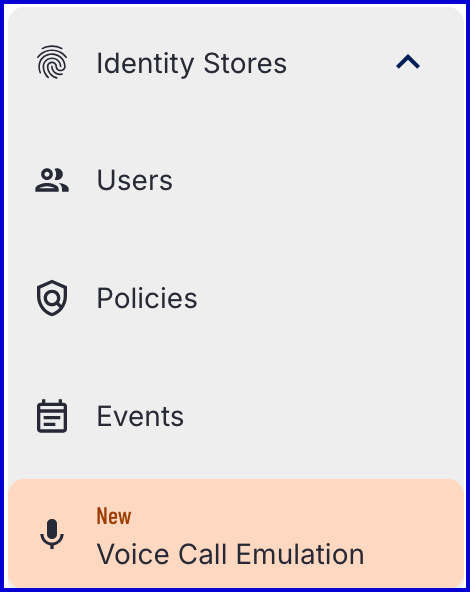
From the left-side vertical navigation bar, expand the Identity Store category.
Find the 'Voice Call Emulation' page within the category.
Create New Audio Source
From the 'Voice Call Emulation' page, click the 'New Audio Source' button to create a new audio source.

A new Audio Source is represented by a .wav file. The audio must be a mono 16-bit and at least a frequency of 8 kHz.
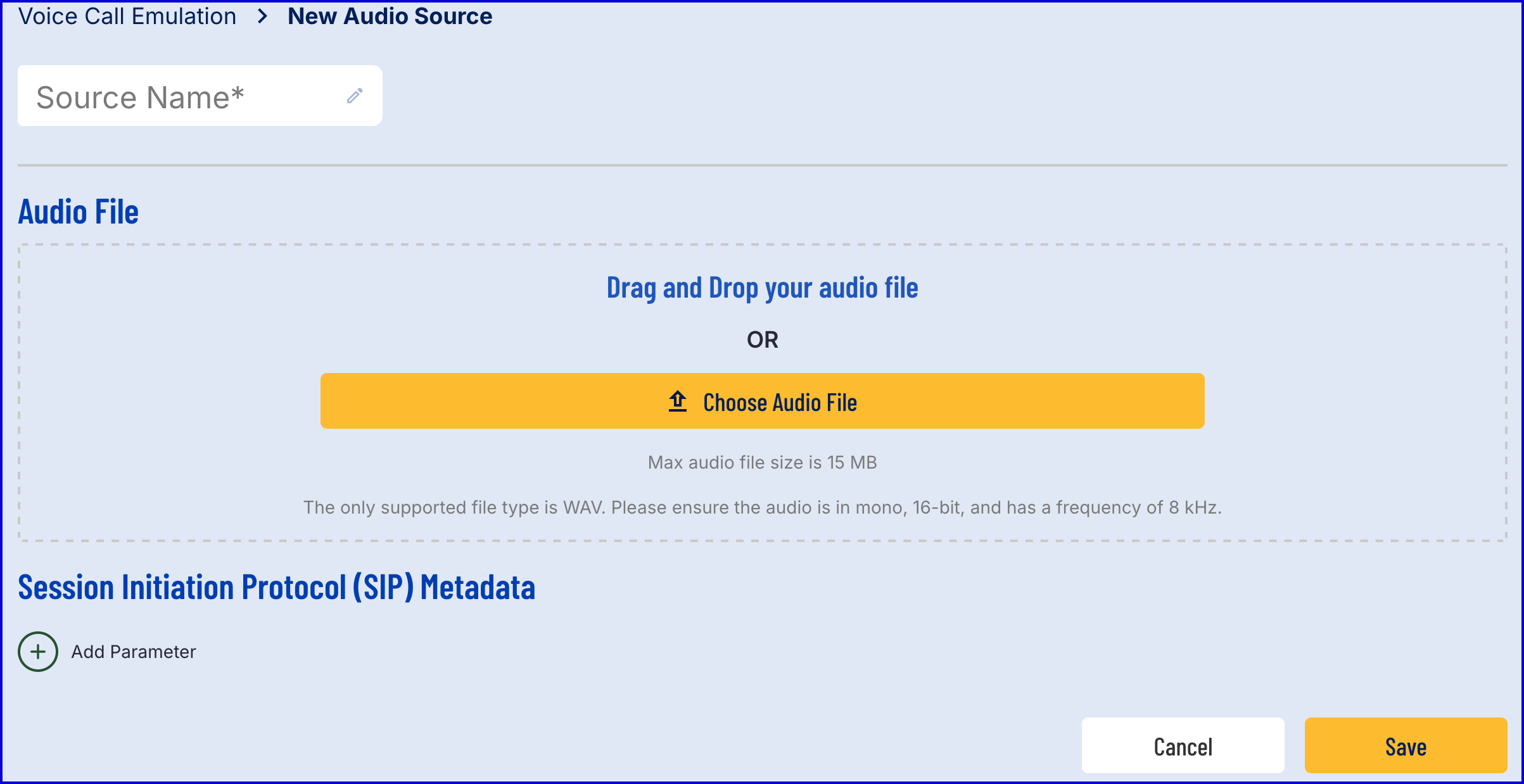
Once audio has been uploaded, click the 'Save' button to complete the process.
(Optional) Session Initiation Protocol
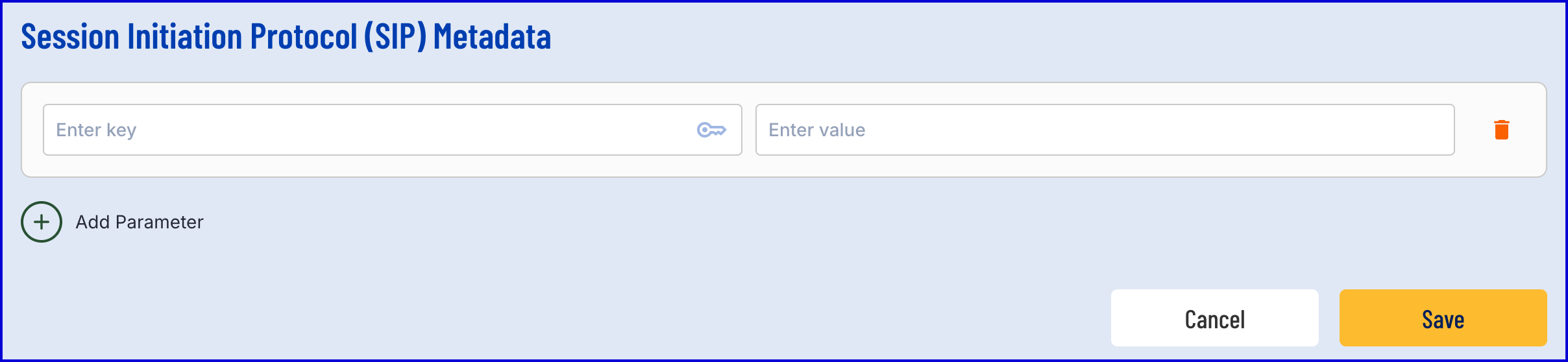
The Session Initiation Protocol (SIP) is utilized to direct audio streams to TrustX. This section enables integrators to add additional information in the form of a key-value pair to send to TrustX via SIP metadata.
Click the 'Add Parameter' button to add a new key-value pair to the SIP Metadata.
Start a Call
Once an audio source has been uploaded, a call be started to test.
From the 'Voice Call Emulation' page in the Backoffice, find the 'Actions' column and click the 'Start Call' button.

A popup modal will appear where details of the call can be defined.
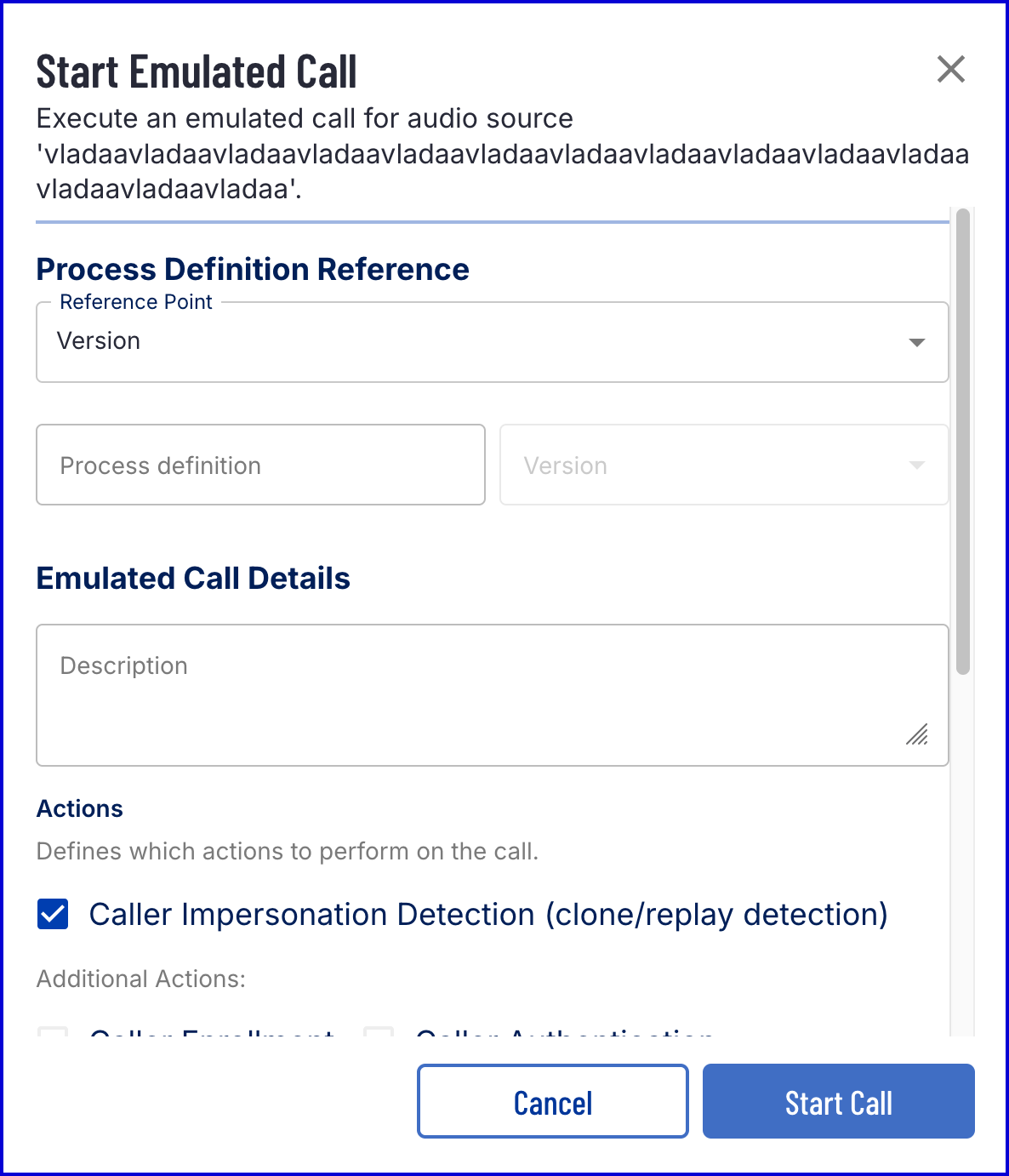
This modal includes the following details:
Element
Description
Default Value
Process Definition Reference Point
Reference an existing Process Definition by version or tag.
Version
Process Definition
Name of the Process Definition. Must integrate a voice Process Instance. See Voice Authentication for integration details.
Version
The version of the Process Definition.
Tag
Tag to identify the Process Definition. Only applicable if the tag reference point is selected.
Caller Impersonation Detection (clone/replay detection
Performs caller impersonation detection against the voice sample.
Enabled
Caller Enrollment
Perform caller enrollment as part of the Process Instance.
Disabled
Caller Authentication
Authenticate the caller against an enrolled Identity Store User with an associated voice sample.
Disabled
External User ID
Reference to an existing Identity Store User. Optional. If no value is provided, TrustX will generate an ID.
An existing External User ID is required only if Caller Authentication is enabled.
Agent ID
Set the Agent ID. Optional. If no value is provided, TrustX will generate an ID.
Additional Parameters
Set additional key-value pair parameters to pass to the Process Instance.
Call Log
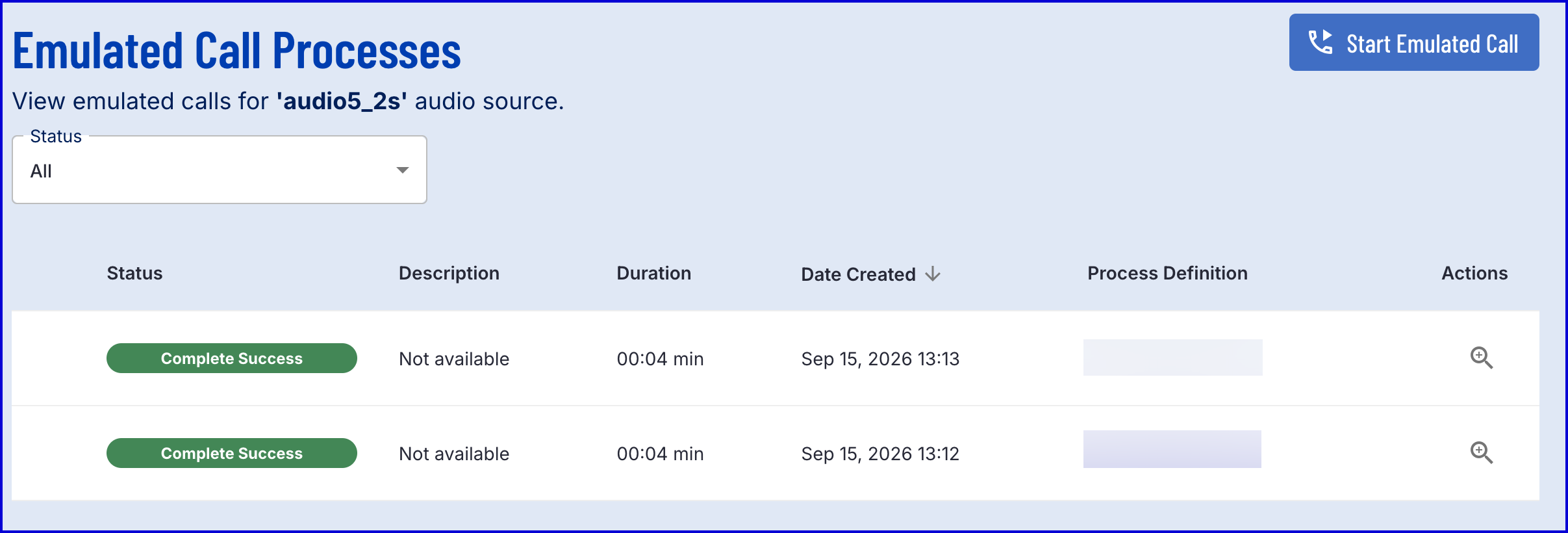
The 'call log' provides a list of calls that have been performed using the associated audio source. To access the call log, navigate to the Voice Call Emulation button and select the 'call log' button found under the 'Action' column.

The call log page will show a list of call processes performed using the given audio source and the outcome of the process.
Example:
Delete Audio Source
An audio source can be deleted from the Backoffice using the bin icon found on the Voice Call Emulation page under the 'Actions' column. Deleting an audio source is permanent. Once executed, this action cannot be undone.

Additional Reading
For more information on configuring a voice authentication process, see the following guides:
Managing Identity Stores - Describes Voice Configuration setup for an Identity Store.
Voice Authentication - Describes the process of creating a voice enrollment and authentication Process Definition.