
Early Access
In some circumstances, it may be required to deregister an Appkey from the Identity Store. TrustX provides two methods of deregistering Appkeys.
Deregister Appkeys on the server and client.
Deregister only the client application only.
This functionality is available from the 'Deregistery Appkey' and 'Deregister Client Appkey' activities respectively. Each activity will remove the Appkey from the Identity Store and from the application/ browser.
This guide will provide steps to implement the Deregistering activities and use cases where they can be applied.
Deregister Appkey
The 'Deregister Appkey' activity provides functionality that removes the Appkey on the server and client side. Using this activity, it is possible to
Deregister all Appkeys on the application
Deregister a specific Appkey by type
The flow described in this section demonstrates deregistering all Appkeys after the completion of Appkey registration.
In the example below, an Appkey is registered to a device in a simple Process Definition configuration.
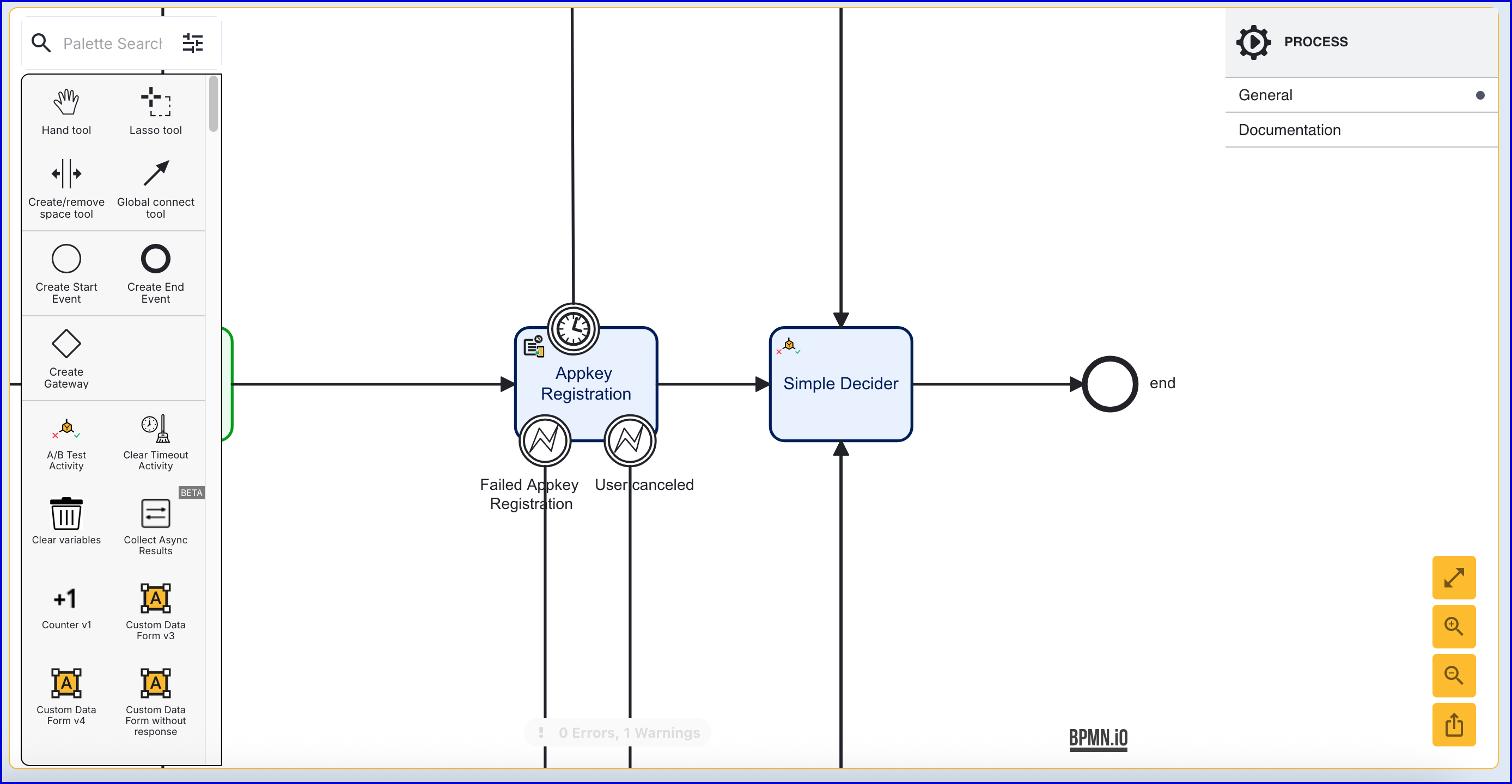
After the 'Appkey Registration' activity, add a 'Deregister Appkey' activity and connect them using the 'Global connect tool'. This will remove the Appkey on the server and client.
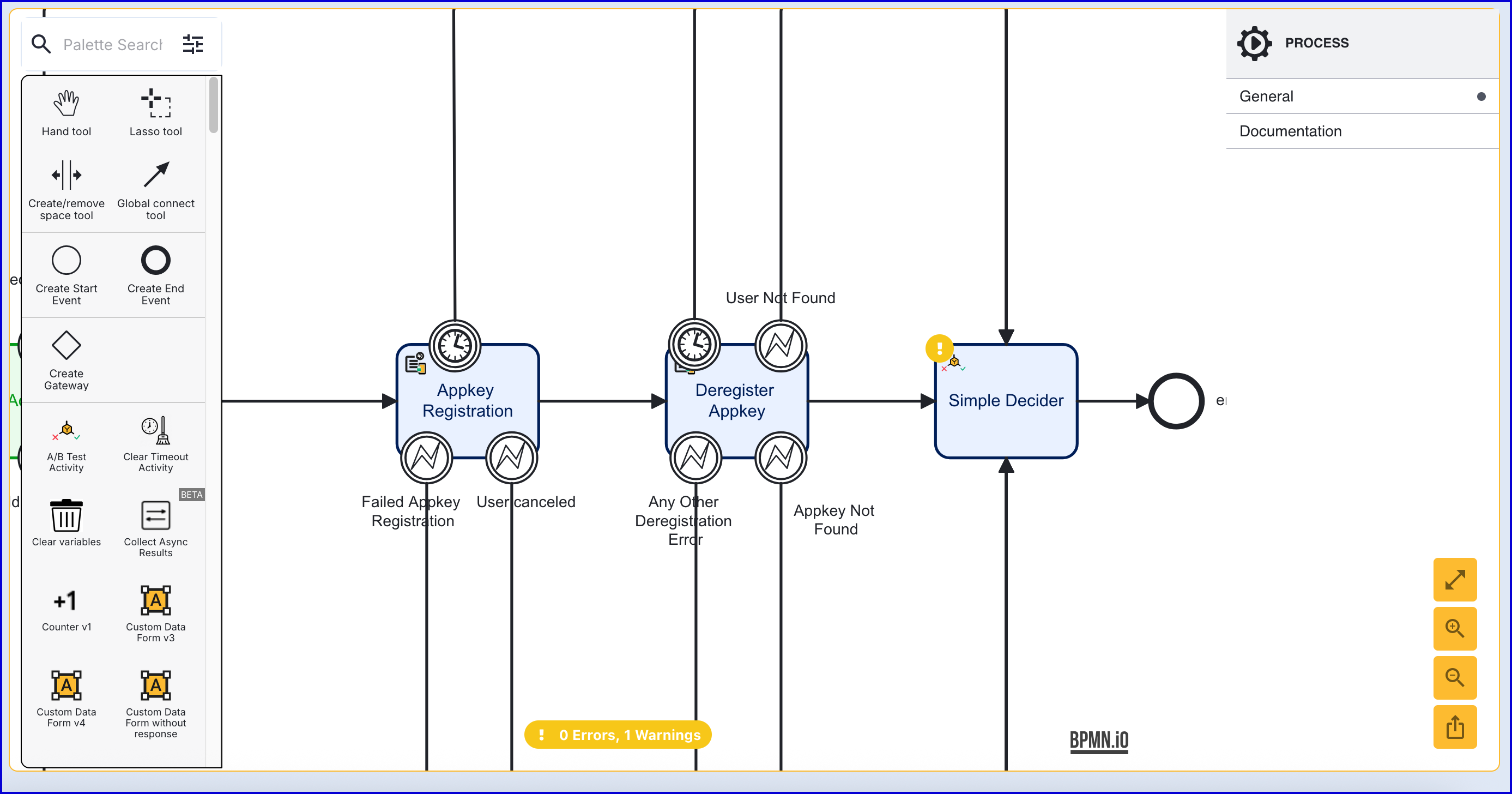
The 'Deregister Appkey' activity contains the following configurable input parameters:
Input Parameter | Type | Description |
|---|---|---|
Appkey Deregistration Key | String | The key identifier of the Appkey deregistration activity. |
Device Id | String | The ID of the device that the Appkey is associated with. |
List of Screens | List [String] | A list of screens to display to the end-user. |
Relying Party ID | String | The ID of the relying party whose Appkey configuration will be used. |
Starting Component ID | String | The ID of the starting component. |
Store Name | String | The name of the Identity Store. |
Types | List [String] | The Appkey type to deregister. Supported values are 'DEVICE, 'BIOMETRIC' and 'ALL'. |
UI Component ID | String | The ID of the UI component. |
User External ID | String | The external ID of the User the Appkey is associated with. |
User ID | String | The unique ID automatically generated when the User was created. |
User Key | String | The User Key that can be used to identify the User that the Appkey registration applies to. |
The activity also includes the following error boundary events:
Event | Description |
|---|---|
Timer Boundary Event | Triggered when the activity times out during operation. |
User Not Found | Triggered if the Identity Store User is not found. |
Appkey Not Found | Triggered if the Appkey is not found. |
Any Other Deregistration Error | Triggered if another other deregistration error occurs besides User Not Found and Appkey Not Found. |
Deregister Client Appkey
The 'Deregister Client Appkey' activity provides functionality that removes the Appkey on the client side only. Using this activity, it is possible to
Deregister all Appkeys for the application.
Deregister the specific Appkey by type.
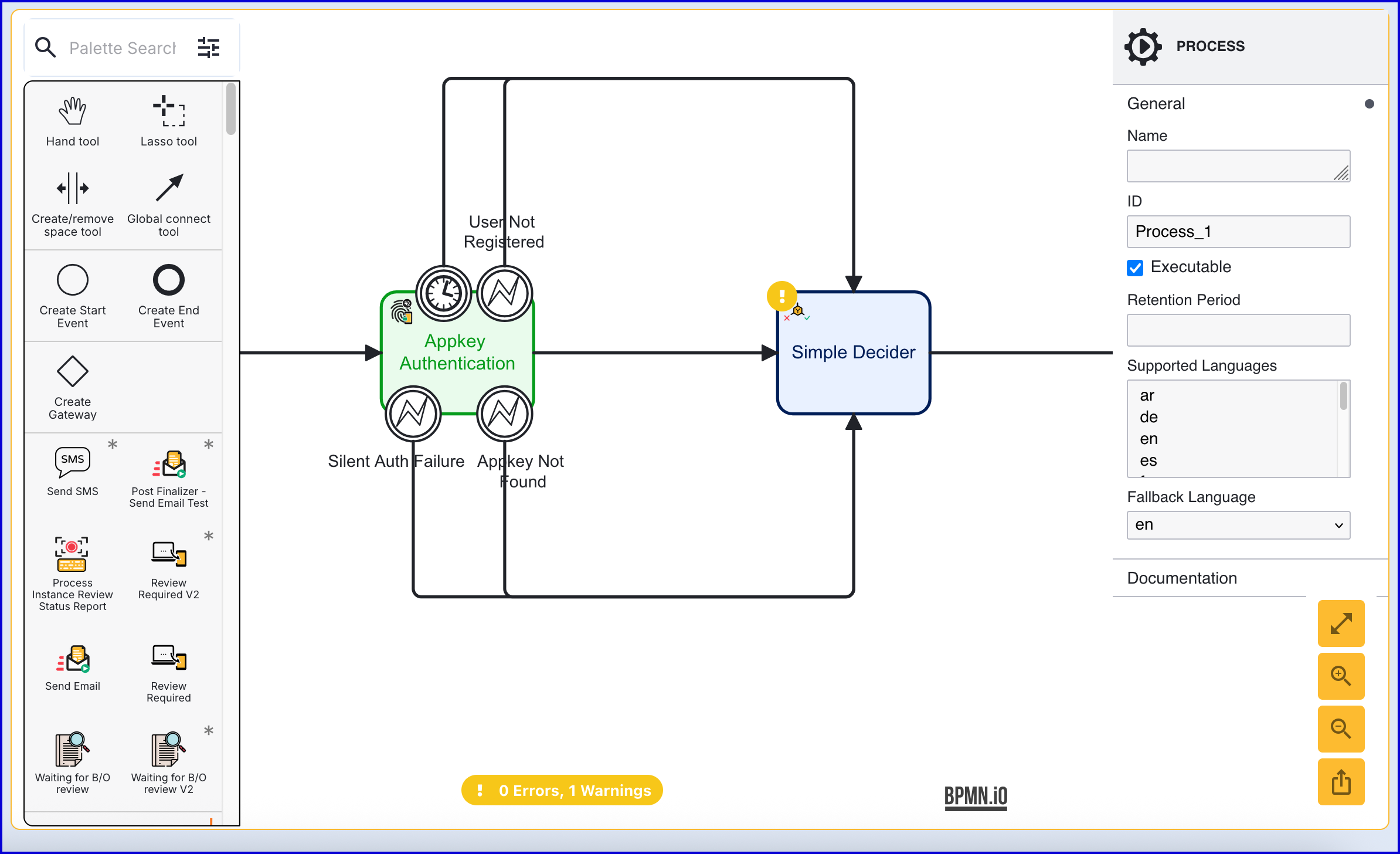
The Process Definition in this example demonstrates an authentication attempt where if no User is found, the Appkey is deregistered from the client.
In the example below, an Appkey authentication is attempted in a simple Process Definition configuration.
Add a 'Deregister Client Appkey' activity to the Process Designer and connect to the 'User Not Registered' error boundary event associated with the 'Appkey Authentication' activity. Connect 'Deregister Client Appkey' activity and its events to the 'Simple Decider'
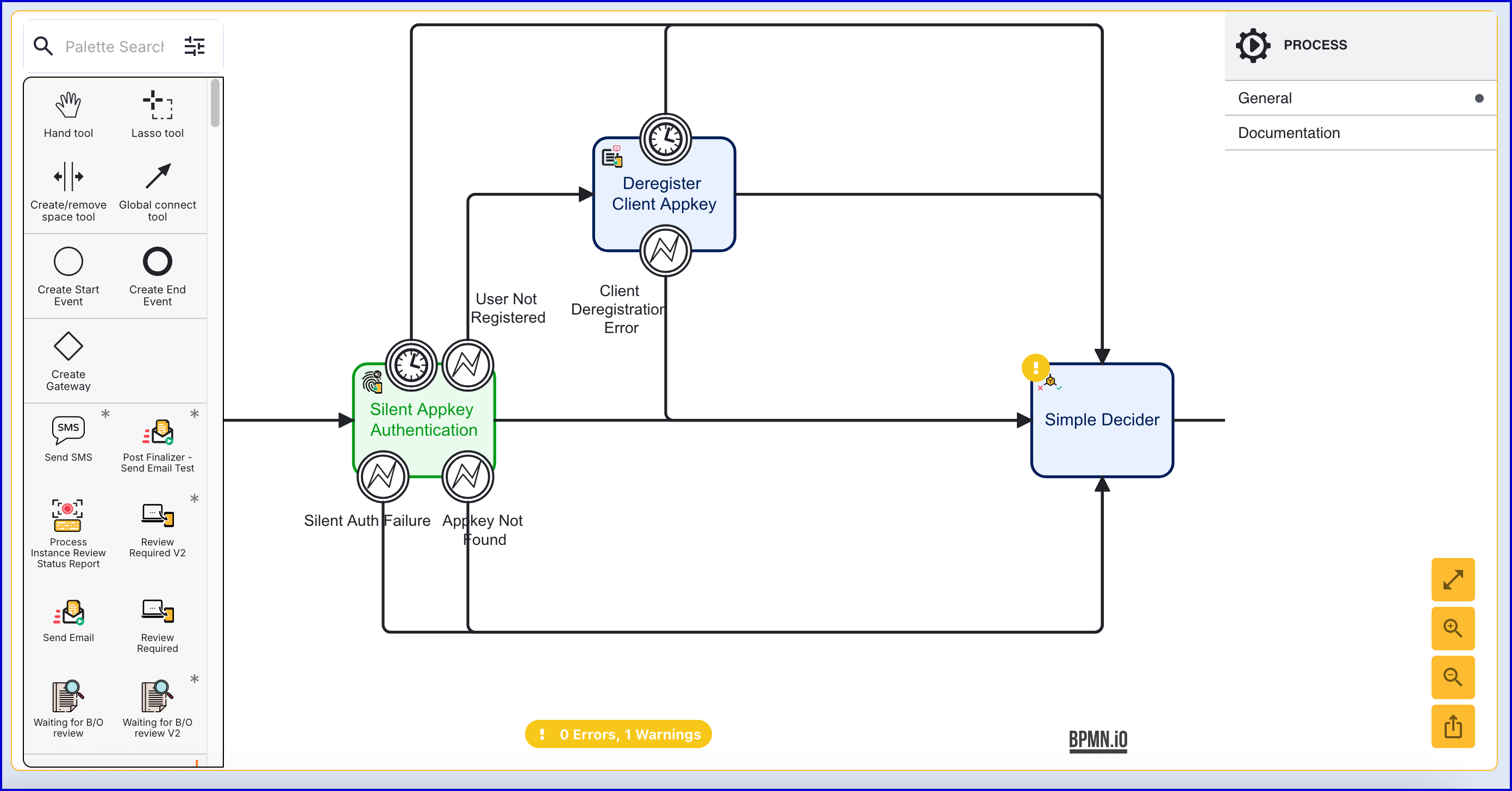
The 'Deregister Client Appkey' activity contains the following input parameters:
Input Parameter | Type | Description |
|---|---|---|
List of Screens | List [String] | A list of screens to display to the end-user. |
Relying Party ID | String | The ID of the relying party whose Appkey configuration will be used. |
Starting Component ID | String | The ID of the starting component. |
Types | List [String] | The Appkey type to deregister. Supported values are 'DEVICE, 'BIOMETRIC' and 'ALL'. |
UI Component ID | String | The ID of the UI component. |
The activity also includes the following error boundary events:
Event | Description |
|---|---|
Timer Boundary Event | Triggered when the activity times out during operation. |
Client Deregistration Error | Triggered when there is an error attempting to deregister the Appkey from the client. |