
Early Access
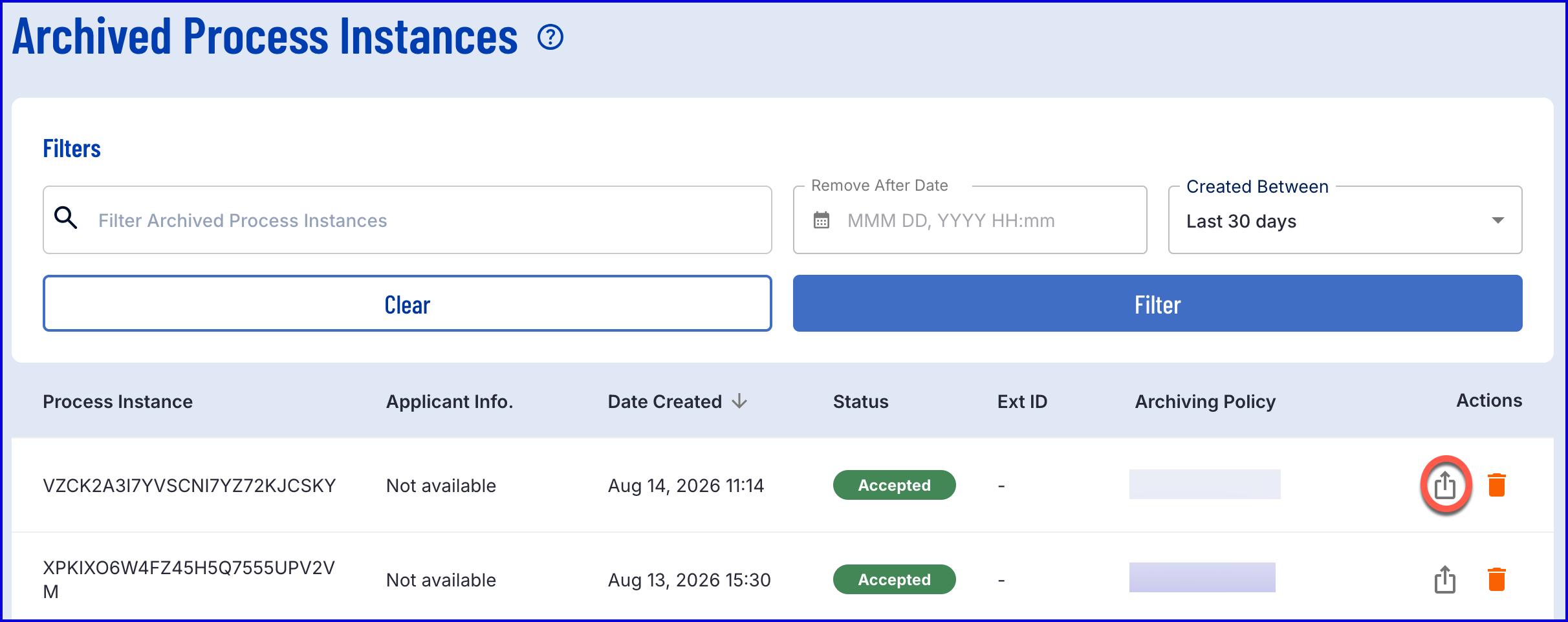
The 'Archived Instances' page provides a list of all archived Process Instances in the TrustX system. This page provides robust search and filter functionality to return search results pertaining to specific properties.
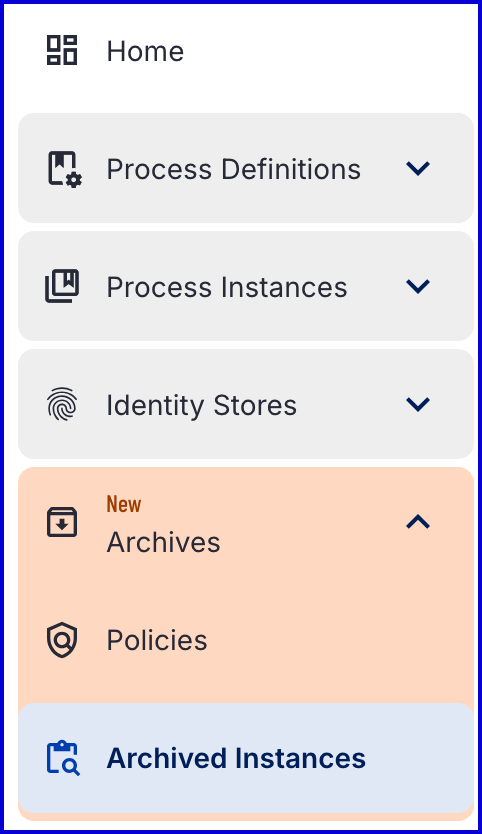
The 'Archived Instances' page can be found under the 'Archives' tab in the Backoffice application.
Using the Search and Filter Controls
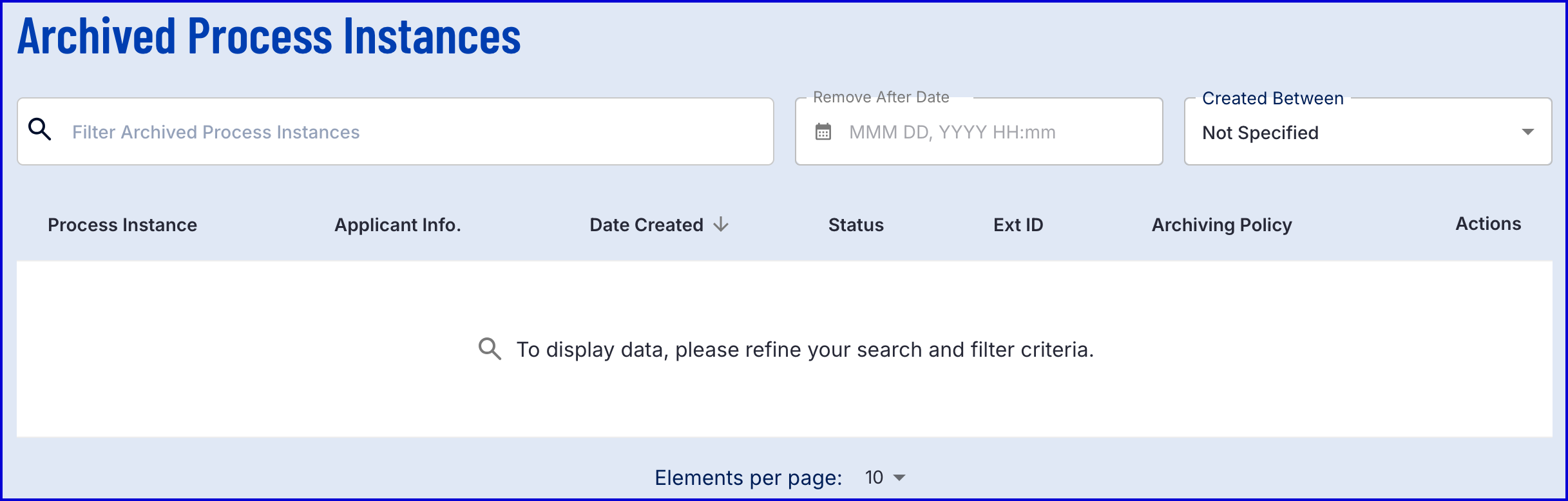
The 'Archived Process Instances' page provides a robust selection of search and filter controls.
Filter Archived Process Instances - Enables users to filter results by associated tokens. For example,
processInstanceID:{YourIDHere}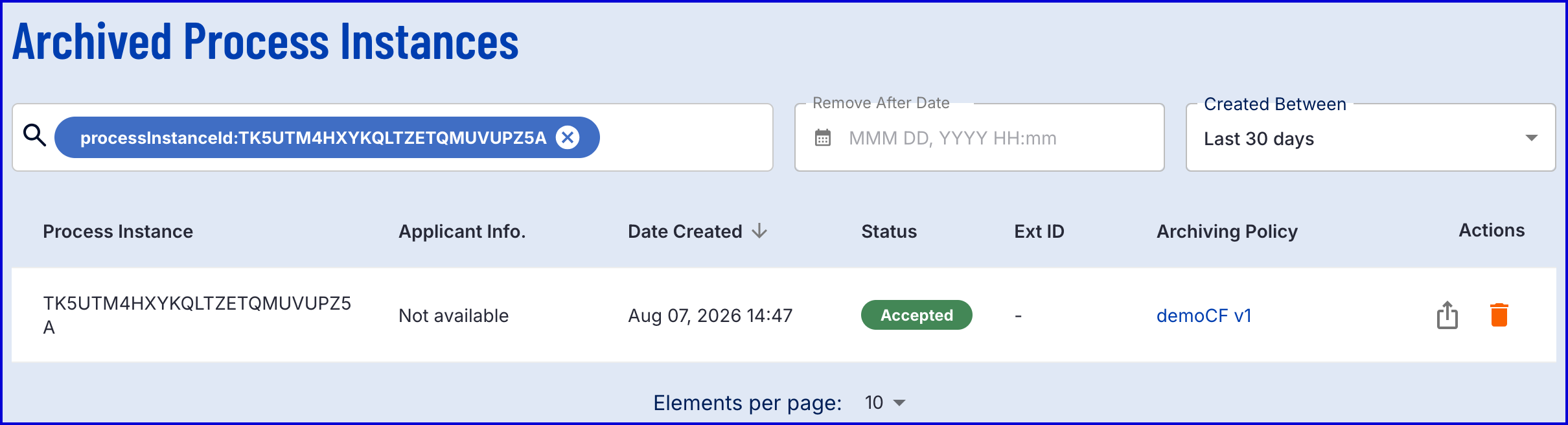
Remove After Date - Filter by the date on which the archived will be removed from TrustX.
Created Between - Filter by date the Process Instance was created. A custom range can be entered using a 'Date Created From' and 'Date Created To' range.
Filtering Syntax
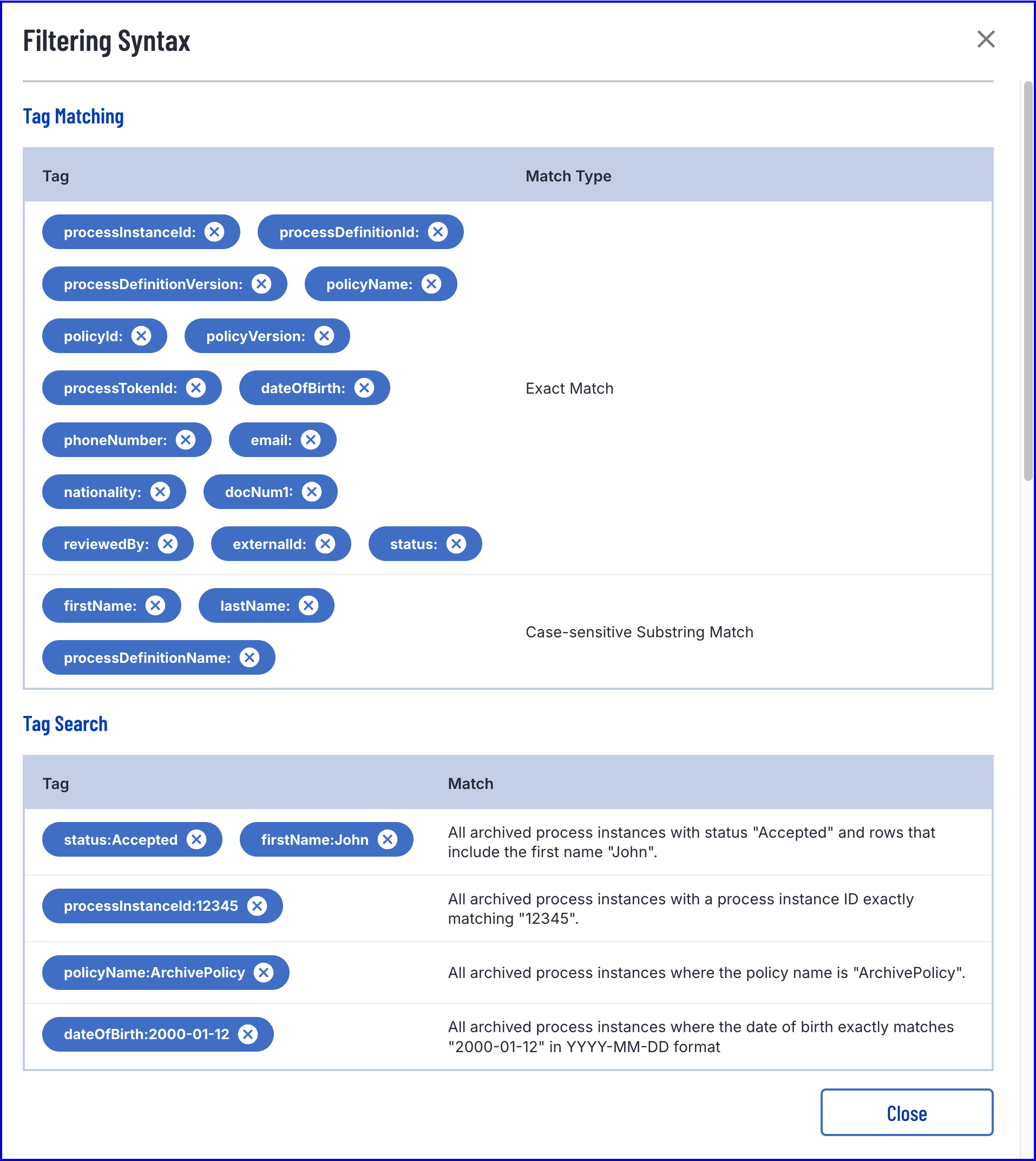
The full filtering syntax available for the 'Filter Archived Process Instances' field can be found in the Backoffice by selecting the search field and clicking the 'Filtering Syntax Documentation'.
The full syntax can be found below:
Exporting Archived Process Instances
Archived data associated with a Process Instance can be exported using the 'export' button under the 'Actions' column of a given Process Instance.
Example:
To unzip the downloaded archive, the passcode or .pem file used when creating the associated archiving policy will be required. See the Archive Policy Guide for more information.
Searching Archived Process Instances via TrustX API
The TrustX API can be used to search and export archived Process Instances. This process involves starting an archive search request, polling the status and completing once finished.
To utilize the TrustX API, an API key is required. See the API Keys Guide for more information on generating an API key.
Start an Archive Search
Submits an asynchronous query. Returns an executionID. After the query is executed, poll the status until SUCCEEDED is returned. The fromTime and toTime fields are required.
API Permissions: TNT#{tenantid}#ProcessManager:startQuery
Example Request:
Example Response:
Polling Archive Search Status
Returns the query state of the given archive status. Possible statuses include: QUEUED, RUNNING, SUCCEEDED, FAILED, or CANCELLED.
API Permissions: TNT#{tenantid}#ProcessManager:getQueryStatus
Example Request:
Example Response:
Complete Archive Search
Returns a page of archive metadata records. Pass nextToken to retrieve subsequent pages. Results contain S3 object keys only. ZIP files are not decrypted.
API Permissions: TNT#{tenantid}#ProcessManager:getQueryResults
Example Request:
Example Response:
Download the Archive ZIP File
Decodes the fileKey to reconstruct the S3 key and streams the encrypted ZIP bytes. The fileKey is returned in each archive search result.
API Permissions: TNT#{tenantid}#ProcessManager:getArchiveFile
Example Request:
Example Response: