
Archive Policy Guide

Early Access

An archive policy is used to determine how Process Instances will be archived and how long Process Instance data will be retained. Archive policies can also be configured to execute Cloud Functions as part of their routine. For more information on configuring Cloud Functions, see the Cloud Functions Guide .

Create an Archive Policy

A new archive policy can be created via the Backoffice application. There is a limit of 10 policy versions per tenant available.

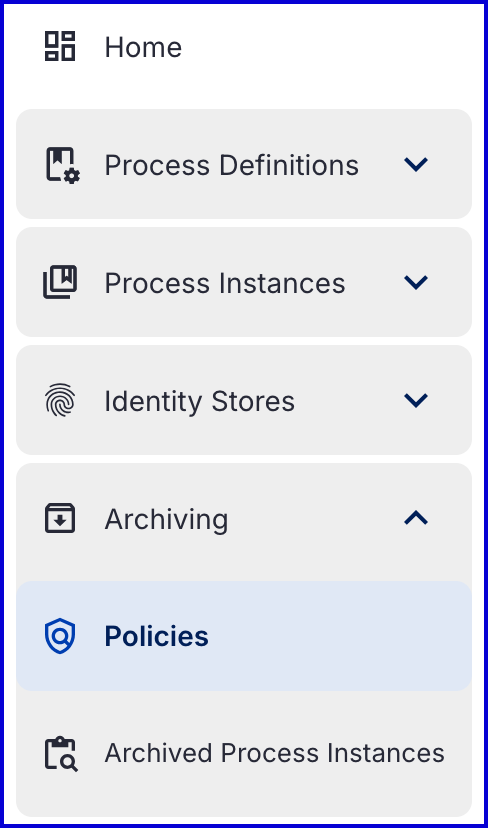
  1. Log in to the Backoffice and find the 'Archiving' tab from the leftmost vertical menu.

  2. Under the 'Archiving' tab, select 'Policies'.

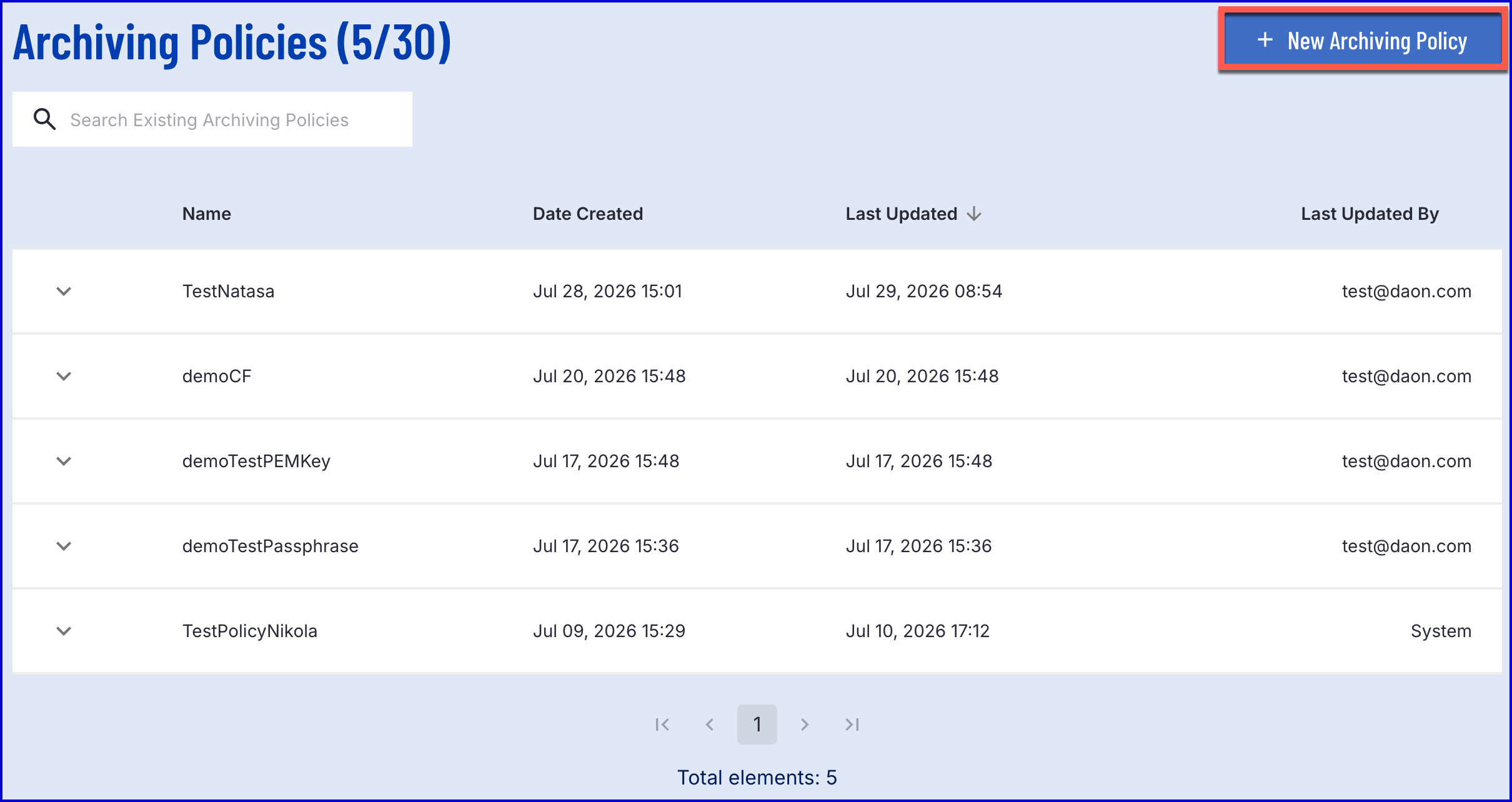
  3. On the 'Archiving Policies' page, select the 'New Archiving Policy' button on the top-right of the screen.

  4. The 'New Archiving Policy' page provides configuration options to define the new policy.
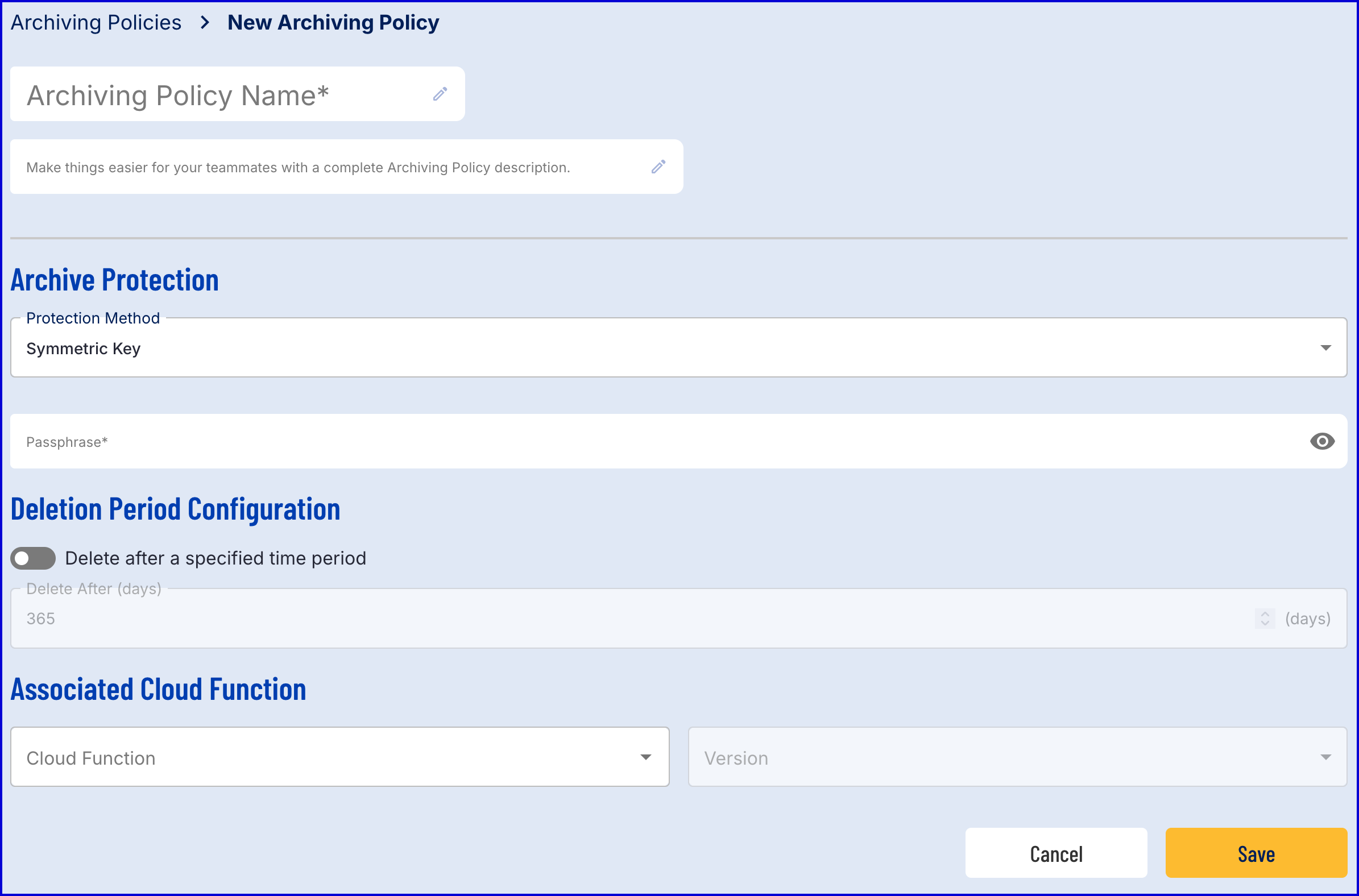

Field

Required

Description

Archiving Policy Name

Yes

The name of the policy.

Description

No

An optional description that can be used to further describe the policy.

Protection Method

Yes

Determines the protection method used. This will be used to unlock the exported archive file of a Process Instance.

  • Symmetric Key - A passphrase method. Passphrase must be 6 - 255 characters long.

  • Diffie-Hellman Key - A public key method where a .pem file is required.

Deletion Period

Yes

If enabled, archived Process Instance data will be deleted after a set period of time. If disabled, archived Process Instance data will be stored indefinitely.

Delete after (days)

No

The numbers of days Process Instance data will be retained. Only editable when Deletion Period is enabled.

Cloud Function

No

An optional Cloud Function to execute alongside the Process Instance archiving.

  1. Once all details about the policy are defined, click the 'Save' button to finalize and create the policy.

Archive Password Length

When an archive policy password is greater than 100+ characters, it may not be possible to unzip the downloaded contents using some zip extraction software due to the large character length.


Create Archive Policy Using TrustX API

To utilize the TrustX API, an API key is required. Instructions on how to create an API key can be found in the API Keys Guide.

API Permissions: TNT#{tenantid}#ProcessManager:createArchivePolicy

Example Request:

POST https://{{tenant}}.{{region}}.trustx.com/api/process-manager/archivePolicies Content-Type: application/json X-API-Key: {{apiKey}} { "name": "the name", "description": "a description", "publicKey": "base64 data", "publicKeyFormat": "PEM", "cloudFunctionName": "cloud-function-name", "cloudFunctionVersion": 1, "retentionDays": 180 }

Example Response:

{ "id": "anid", "name": "the name", "version": 1, "description": "a description", "publicKey": "base64 data", "publicKeyFormat": "PEM", "cloudFunctionId": "cloud-function-db-id", "cloudFunctionName": "cloud-function-name", "cloudFunctionVersion": 1, "retentionDays": 180, "createdDtm": "2025-01-01T00:00:00Z", "createdBy": "example@example.com", "lastUpdatedDtm": "2025-01-01T00:00:00Z", "lastUpdatedBy": "example@example.com" }

Delete an Archive Policy

An archive policy or version can be deleted via the Backoffice or using the TrustX API. To delete an archive policy via the Backoffice, follow the steps outlined below:

  1. Navigate to the 'Policies' page found under the 'Archives' tab.

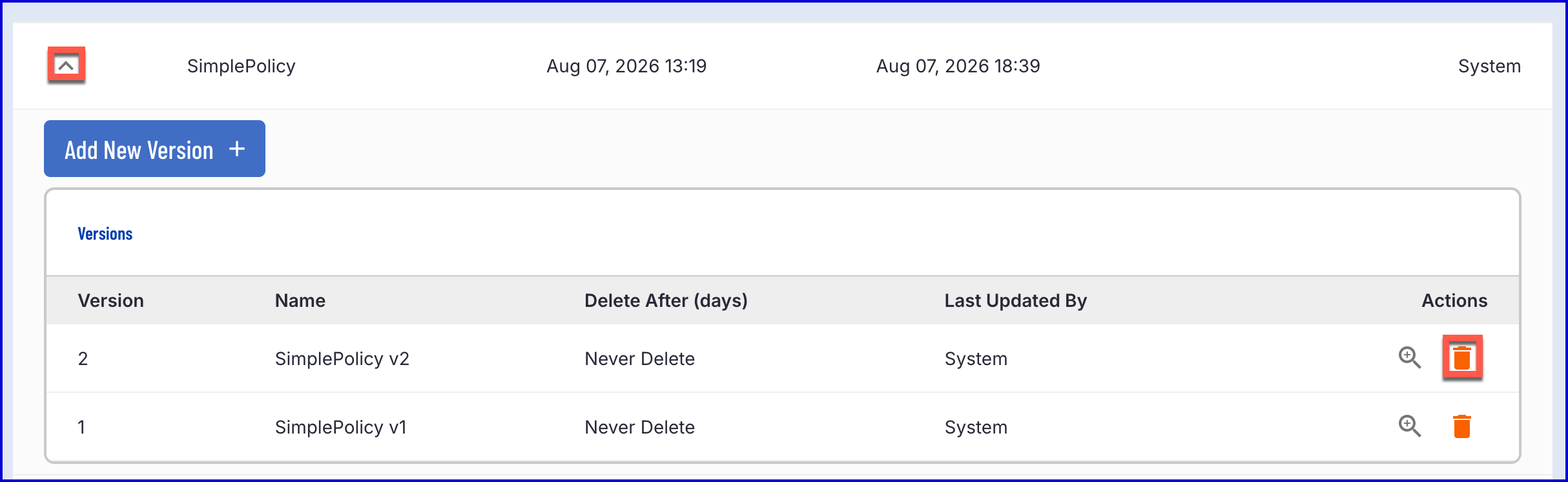
  2. Find the policy and expand the list of actions using the dropdown arrow.

  3. Find the orange 'bin' icon to delete the required version.

  4. Previously archived Process Instances will remain archived according to the policy. However, it will not be possible to archive new Process Instances using the deleted policy.

Delete an Archive Policy Using TrustX API

An archive policy can be deleted using the TrustX API. See the example request below as an example.

API Permissions: TNT#{tenantid}#ProcessManager:deleteArchivePolicy

Example Request:

DELETE https://{{tenant}}.{{region}}.trustx.com/api/process-manager/archivePolicies/{id} Content-Type: application/json X-API-Key: {{apiKey}} {}

Search Archive Policies Using TrustX API

Details of an archive policy can be returned using the TrustX API. This example demonstrates searching for a specific archive policy using the policy ID.

API Permissions: TNT#{tenantid}#ProcessManager:listArchivePolicies

Example Request:

GET https://{{tenant}}.{{region}}.trustx.com/api/process-manager/archivePolicies/{id} Content-Type: application/json X-API-Key: {{apiKey}} {}

Example Response:

{ "id": "anid", "name": "the name", "version": 1, "description": "a description", "passphrase": "Archive Policy Passphrase", "publicKey": "base64 data", "publicKeyFormat": "PEM", "cloudFunctionId": "cloud-function-db-id", "cloudFunctionName": "cloud-function-name", "cloudFunctionVersion": 1, "retentionDays": 180, "createdDtm": "2025-01-01T00:00:00Z", "createdBy": "example@example.com", "lastUpdatedDtm": "2025-01-01T00:00:00Z", "lastUpdatedBy": "example@example.com" }

Get Archive Policy Usage

Retrieves usage statistics for Archive Policies for a tenant, including the maximum allowed, total currently in use, and remaining capacity. Returns HTTP 200 on success.

API Permissions: TNT#{tenantid}#ProcessManager:getArchivePolicyUsage

Example Request:

GET https://{{tenant}}.{{region}}.trustx.com/api/process-manager/archivePolicies/usage Content-Type: application/json X-API-Key: {{apiKey}} { }

Example Response:

{ "maxAllowed": 30, "total": 10, "remaining": 20 }


List Archive Policies

Returns a paginated list of Archive Policies for a tenant. Results can be filtered by name using a wildcard prefix search via the nameLike parameter. Supports standard Spring Pageable query parameters: page, size, and sort. Returns HTTP 200 on success.

API Permissions: TNT#{tenantid}#ProcessManager:listArchivePolicies

Example Request:

GET https://{{tenant}}.{{region}}.trustx.com/api/process-manager/archivePolicies Content-Type: application/json X-API-Key: {{apiKey}}

Example Response:

{ "content": [ { "createdDtm": "2026-08-06T11:18:04.959+0000", "lastUpdatedDtm": "2026-08-06T11:18:11.505+0000", "lastUpdatedBy": "test@daon.com", "name": "Example1" }, { "createdDtm": "2026-08-06T10:00:53.232+0000", "lastUpdatedDtm": "2026-08-07T12:00:12.731+0000", "lastUpdatedBy": "test@daon.com", "name": "Example2" }, { "createdDtm": "2026-07-17T14:36:44.792+0000", "lastUpdatedDtm": "2026-07-17T14:36:44.883+0000", "lastUpdatedBy": "test@daon.com", "name": "Example3" }, { "createdDtm": "2026-07-17T14:48:53.724+0000", "lastUpdatedDtm": "2026-07-17T14:48:53.724+0000", "lastUpdatedBy": "test@daon.com", "name": "Example4" }, { "createdDtm": "2026-07-20T14:48:58.687+0000", "lastUpdatedDtm": "2026-07-20T14:48:58.692+0000", "lastUpdatedBy": "test@daon.com", "name": "Example5" }, { "createdDtm": "2026-07-09T14:29:04.717+0000", "lastUpdatedDtm": "2026-07-10T16:12:41.293+0000", "lastUpdatedBy": "System", "name": "Example6" }, { "createdDtm": "2026-08-13T13:49:41.810+0000", "lastUpdatedDtm": "2026-08-18T10:10:19.317+0000", "lastUpdatedBy": "test@daon.com", "name": "Example7" }, { "createdDtm": "2026-08-18T13:40:30.786+0000", "lastUpdatedDtm": "2026-08-18T13:40:30.788+0000", "lastUpdatedBy": "test@daon.com", "name": "Example8" }, { "createdDtm": "2026-08-07T12:19:57.715+0000", "lastUpdatedDtm": "2026-08-18T11:52:24.827+0000", "lastUpdatedBy": "test@daon.com", "name": "Example9" }, { "createdDtm": "2026-08-18T09:23:36.554+0000", "lastUpdatedDtm": "2026-08-18T09:23:36.554+0000", "lastUpdatedBy": "test@daon.com", "name": "Example10" } ], "pageable": { "pageNumber": 0, "pageSize": 10, "sort": { "sorted": true, "unsorted": false, "empty": false }, "offset": 0, "paged": true, "unpaged": false }, "last": true, "totalElements": 10, "totalPages": 1, "first": true, "sort": { "sorted": true, "unsorted": false, "empty": false }, "number": 0, "numberOfElements": 10, "size": 10, "empty": false }

Associated Cloud Function

Users can further customize what content is archived using Cloud Functions. Some examples of what data can be managed include:

  • include different data in different archives

  • only store face data in the archive

  • only store document data in the archive

  • store different archives for different periods of time

  • store only metadata in the archive

This section will describe how to configure a Cloud Function and provide some example use cases to configure what data is stored in the archive.

Create a Cloud Function

  1. To create a Cloud Function, navigate to the 'Cloud Functions' page found in the left-side navigation bar of the Backoffice.

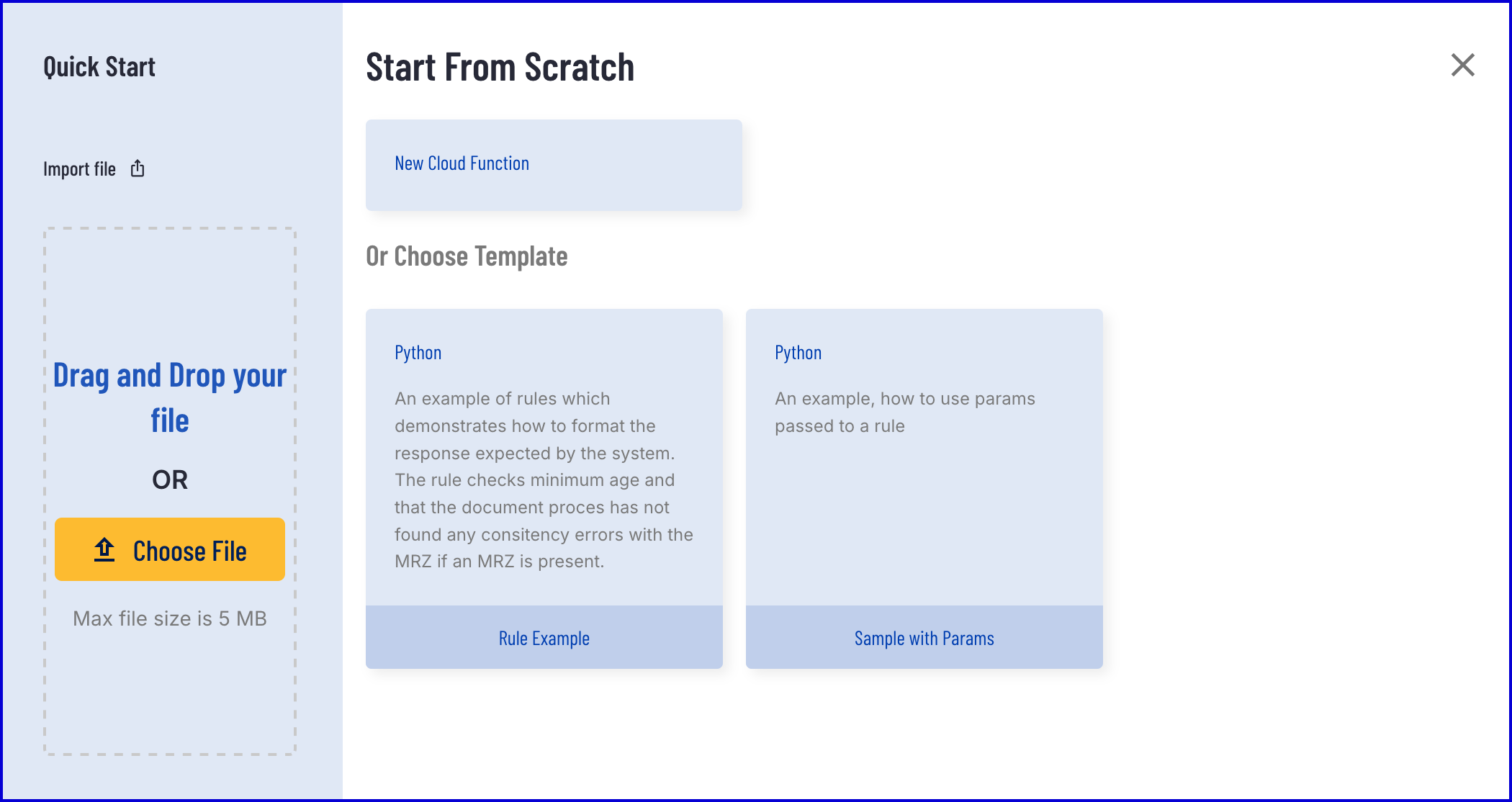
  2. Click the "New Cloud Function' button to create a new Cloud Function. A popup modal will appear where a Cloud Function can be created from scratch or uploaded from an existing file. For this guide, a Cloud Function will be created from scratch.

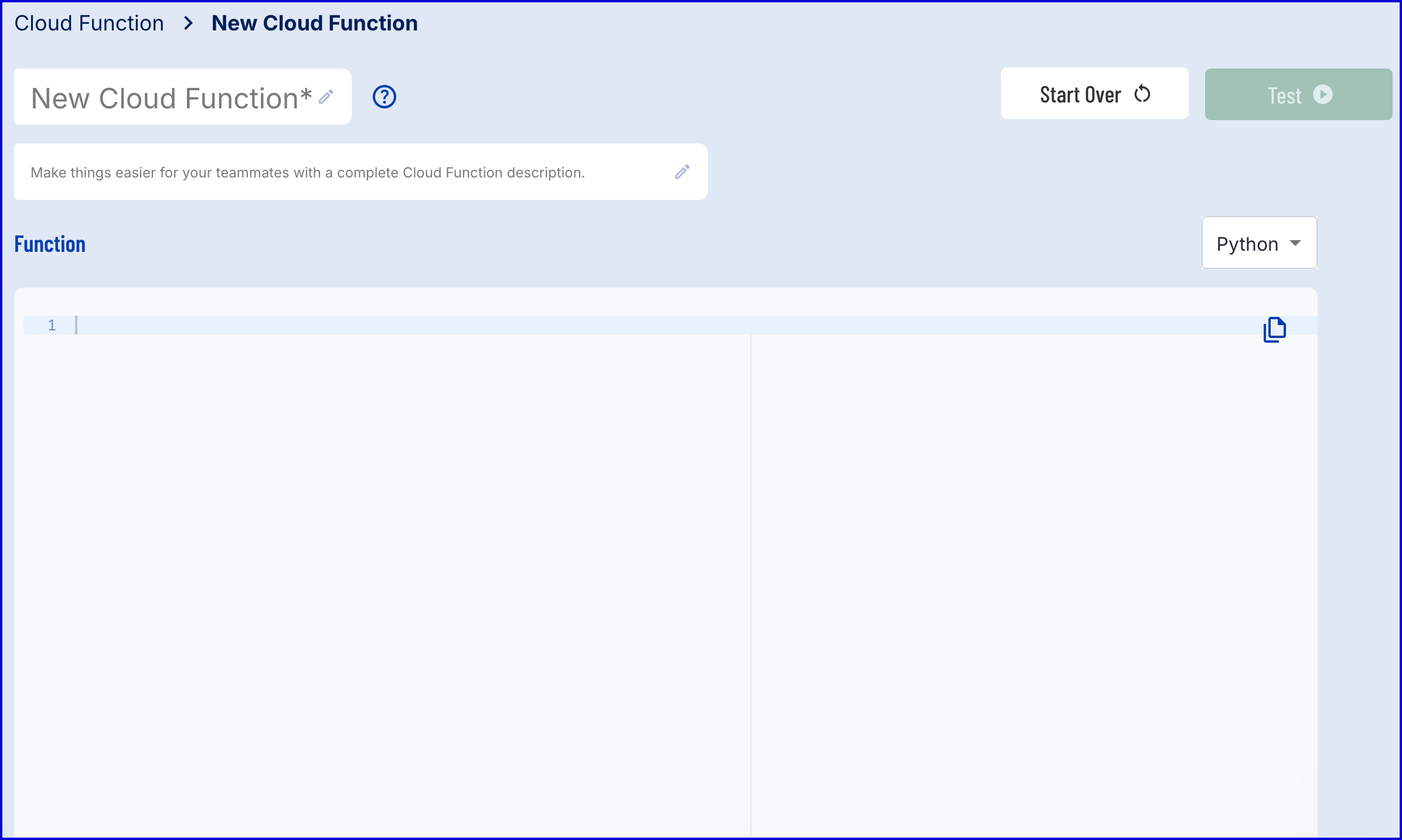
  3. The creation page provides a Python document where details of the Cloud Function can be defined.

Define the Cloud Function

TrustX provides the following archiving constants:

  • params['constants']['archiveBucket'] = References the S3 bucket where all data is stored. This is required to reference the source path.

  • params['constants']['archiveSrcPath'] = Retrieves the source path of the archive where all data is stored.

  • params['constants']['archiveDestPath'] = A temporary directory that can be written to so that only specific data can be returned.

In the example below, only idDocs are archived.

Example:

import json import boto3 from cfresults import Outcome, OverallResult, OverallResultEncoder, Result, JSONEncoder class ResultEncoder(JSONEncoder): def default(self, o): return o.__dict__ def copy_recursive(s3, bucket, src_prefix, dest_prefix, kms_key_id): # Normalize prefixes so we don't end up with double/missing slashes src_prefix = src_prefix.rstrip('/') + '/' dest_prefix = dest_prefix.rstrip('/') + '/' paginator = s3.get_paginator('list_objects_v2') print('listed objects') pages = paginator.paginate(Bucket=bucket, Prefix=src_prefix) copied_count = 0 for page in pages: for obj in page.get('Contents', []): src_key = obj['Key'] # Skip "folder marker" objects (zero-byte keys ending in /) if src_key.endswith('/') and obj['Size'] == 0: continue relative_key = src_key[len(src_prefix):] dest_key = dest_prefix + relative_key print(f"this is the dest key {dest_key}") print(f"this is the src key {src_key}") try: s3.copy_object( Bucket=bucket, CopySource={'Bucket': bucket, 'Key': src_key}, Key=dest_key, ServerSideEncryption='aws:kms', SSEKMSKeyId=kms_key_id, TaggingDirective='REPLACE', Tagging='' ) except Exception as e: if hasattr(e, 'response'): error_code = e.response.get('Error', {}).get('Code') error_message = e.response.get('Error', {}).get('Message') request_id = e.response.get('ResponseMetadata', {}).get('RequestId') print(f"***COPY_OBJECT ERROR: code={error_code} message={error_message} " f"src={src_key} dest={dest_key} request_id={request_id}") else: print(f"***COPY_OBJECT ERROR (non-boto): {e} src={src_key} dest={dest_key}") raise copied_count += 1 return copied_count s3 = boto3.client('s3') cfResults = {} archive_write_path = "" archive_bucket = "" archive_src_path = "" if params.get('constants') is not None: try: archive_src_path = f"{params['constants']['archiveSrcPath']}/idDocs" archive_bucket = params['constants']['archiveBucket'] archive_write_path = params['constants']['archiveDestPath'] kms_key_id = params['constants']['kmsKeyId'] total = copy_recursive(s3, archive_bucket, archive_src_path, archive_write_path, kms_key_id) print(f"Copied {total} objects from {archive_src_path} to {archive_write_path}") except KeyError as e: print(f"***ERROR: missing config key {e}") except Exception as e: if hasattr(e, 'response'): print(f"***ERROR: S3 ClientError: {e.response.get('Error', {}).get('Code')} - " f"{e.response.get('Error', {}).get('Message')}") else: print(f"***ERROR: S3 operation failed: {e}") print("The params are: {}".format(params)) overallOutcome = Outcome.APPROVE overallResult = OverallResult(overallOutcome, cfResults) cfResults = json.loads(OverallResultEncoder().encode(overallResult)) results['cfResults'] = json.loads(ResultEncoder().encode(Result( params, overallOutcome, cfResults, )))

From the example above, three variables are set that contain the archive constants.

archive_src_path = f"{params['constants']['archiveSrcPath']}/idDocs" archive_bucket = params['constants']['archiveBucket'] archive_write_path = params['constants']['archiveDestPath']

The archive_write_path is set to the archive destination path which can be used for writing. In this example, idDocs will be archived. This process supports all session data that can be archived as part of a Process Instance.

For BYOK tenants, the KmsKey constant can be included to specify the exact key to pass to the archive. In the example above, this constant is stored in the kms_key_id variable.

kms_key_id = params['constants']['kmsKeyId']

All idDocs are written from the archive_src_path to the archive_write_path variable using the copy_recursive.

total = copy_recursive(s3, archive_bucket, archive_src_path, archive_write_path, kms_key_id) print(f"Copied {total} objects from {archive_src_path} to {archive_write_path}")

See Also