
Introduction
API Auditing allows users to view and manage recent API activity in TrustX. This guide will cover how to manage audits from the API and view audit information via the Backoffice.
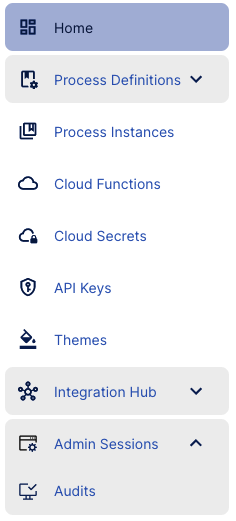
Audits can be accessed from the Audits page found under the Admin Sessions tab of the navigation menu.
Viewing Audits in the Backoffice
The Audits landing page returns a list of the most recent API calls made using the current Tenant.
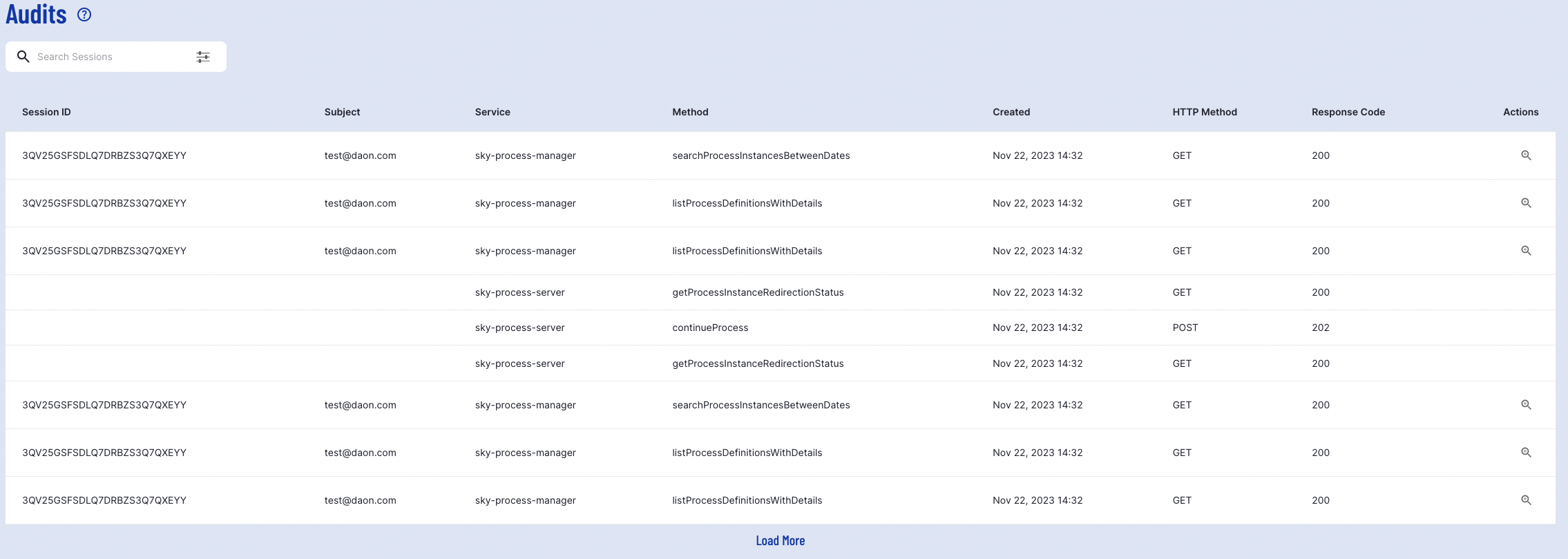
This table includes the following information regarding recent Audits made in TrustX.
Field | Description |
|---|---|
Session ID | The Session ID associated with the API request. For more information on Sessions, see the Admin Sessions Guide. |
Subject | The user/tenant that performed the API call. |
Service | The server called by the API. For example, when a list of themes are requested, the sky-theme-server is called. |
Method | The method performed by the API call. For example, if a list of themes was requested by the API, the |
Created | The date and time at which the API request was executed. |
HTTP Method | The method used to contact the API. Possible values are GET, POST, PUT, and DELETE. |
Response Code | The response code received when the API request was executed. |
Filtering Audits
From here, results can be filtered using the 'Search Sessions' box. The list of filtering options can be expanded by clicking the options icon to the right of the text field.

The above filter will return all GET requests that returned a status OK result.
View Session Details
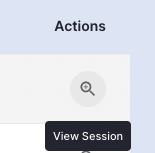
Details of a session associated with an API request can be viewed by selecting the 'View Session' magnifying glass under the Actions column.
The user will be redirected to a page outlining all API actions recorded during the sessions.
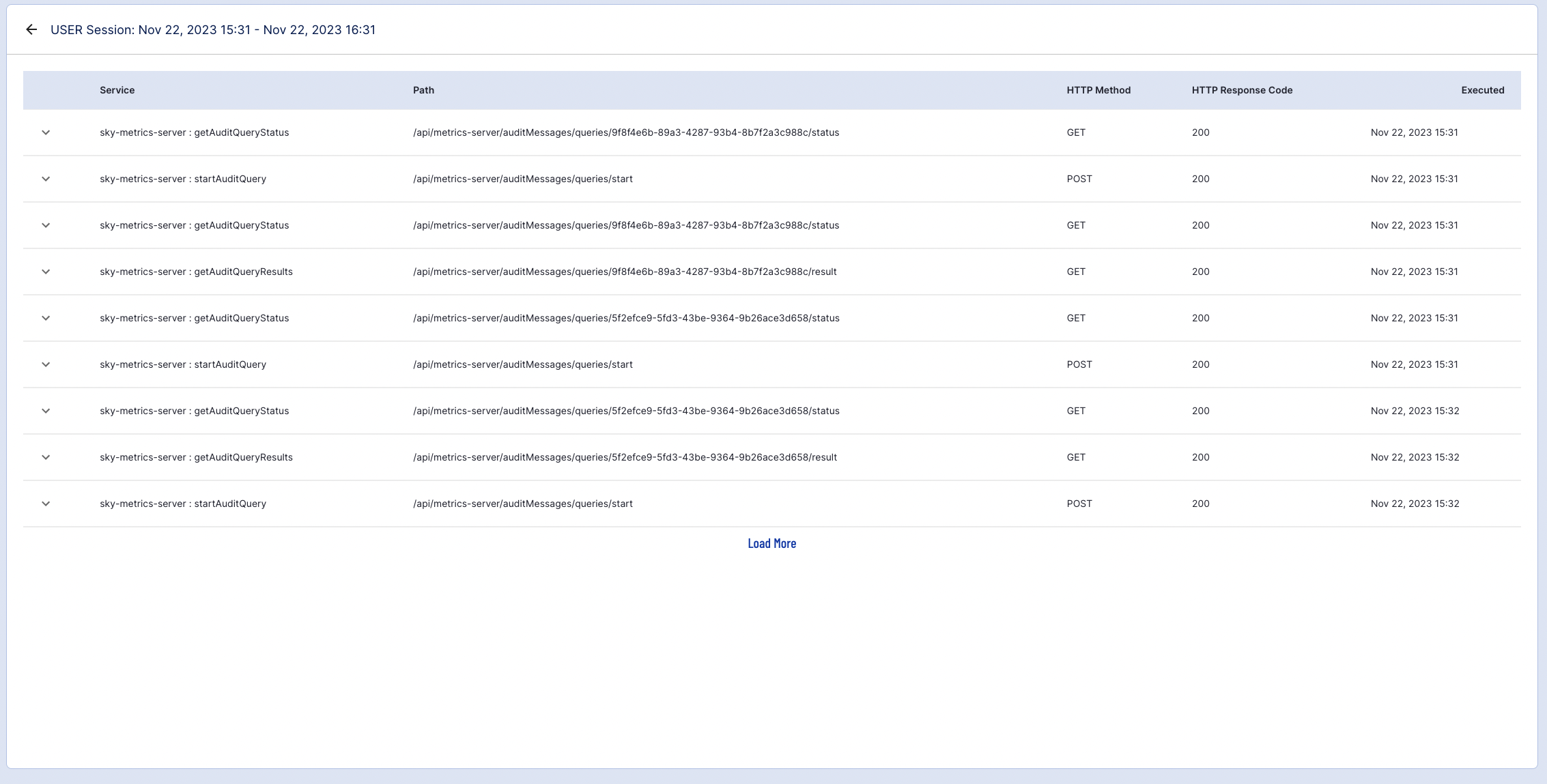
API requests can be expanded to view the size of the API request content and any error information if relevant.

Retrieving Audits Using the API
Audit information can be retrieved by contacting the Metric Server of TrustX. Audit information is stored in a Tenant. As such, the tenantID will be required in order to retrieve Audits for a given Tenant. The instructions below will describe the steps necessary to retrieve Audit information using the tenantID.
Access to the API requires an API token. For more information, see the API Keys Guide
Step 1 - Provide Tenant Permissions
To take advantage of the audits API, a tenant first needs permissions to the appropriate queries of the Metric Server. This can be achieved by granting the following permissions:
where {tenant} is the tenant that will be granted permissions.
To set token permissions for a tenant, see the API Keys Guide.
Step 2 - Retrieve the executionID
To retrieve results for a given API execution, the executionID must be retrieved by performing the following POSTcall to the following API endpoint:
Request Body
The request body can be used to filter the results of the audit information returned by the API. Possible values are as follows:
Parameter | Type | Description |
|---|---|---|
httpMethod | String | The method used to contact the API. Possible values are GET, POST, PUT, and DELETE. |
httpResponseCode | Integer | The response code returned when the API call was executed. Possible values include 200, 201, |
subject | String | The user/tenant that performed the API call. |
sessionId | String | The ID associated with the tenant session. For more information on sessions, see the Admin Sessions Guide. |
service | String | The server called by the API. For example, when a list of themes are requested, the sky-theme-server is called. |
method | String | The method performed by the API call. For example, if a list of themes was requested by the API, the |
errorCode | Integer | The error code returned when the API call was executed. |
fromTime | Datetime | Start date range of audit results to return. |
toTime | Datetime | End date rate of audit results to return. |
Example Request
Below is an example request that will generate an executeId based on the outlined parameters.
Example Response
The response will return an executionId that can be used to retrieve the results of the audit.
Step 3 - Verify Status of the Request
The status of the tenantId and executionId can be verified to ensure that they are compatible using the following endpoint:
Example Request
The query parameter expects the executionId from Step 1 as input. This parameter is required to execute a successful request.
Example Response
A successful response will return the SUCCEEDED message that ensures the tenantId and executionId are a matching pair which can be used to return the audit results. Results that are still pending processing will return a status of QUEUED.
Step 4 - Retrieve the Results
Results of an audit are retrieved using the executionId from Step 1 by contacting the following endpoint:
Request Body
The executionId is a required parameter query parameter that must be used to return the audit results successfully.
Additionally, the request body contains one optional parameter as described in the table below:
Parameter | Type | Description |
|---|---|---|
nextToken | String | This is an optional field that allows users to move between pages in the results. Results are paginated and will return a nextToken ID that is used to move to the next page of results. |
Example Request
This example uses the tenantId and executionId as described in Step 1.
Example Response
The response will return an audit based on the request body specified in Step 1
The contents of nextToken are used to move to the next page of results.
When users have reached the final page of results, nextToken will return a null value.
API Reference
The full API reference is available and includes the API calls described in the steps above.